Brief
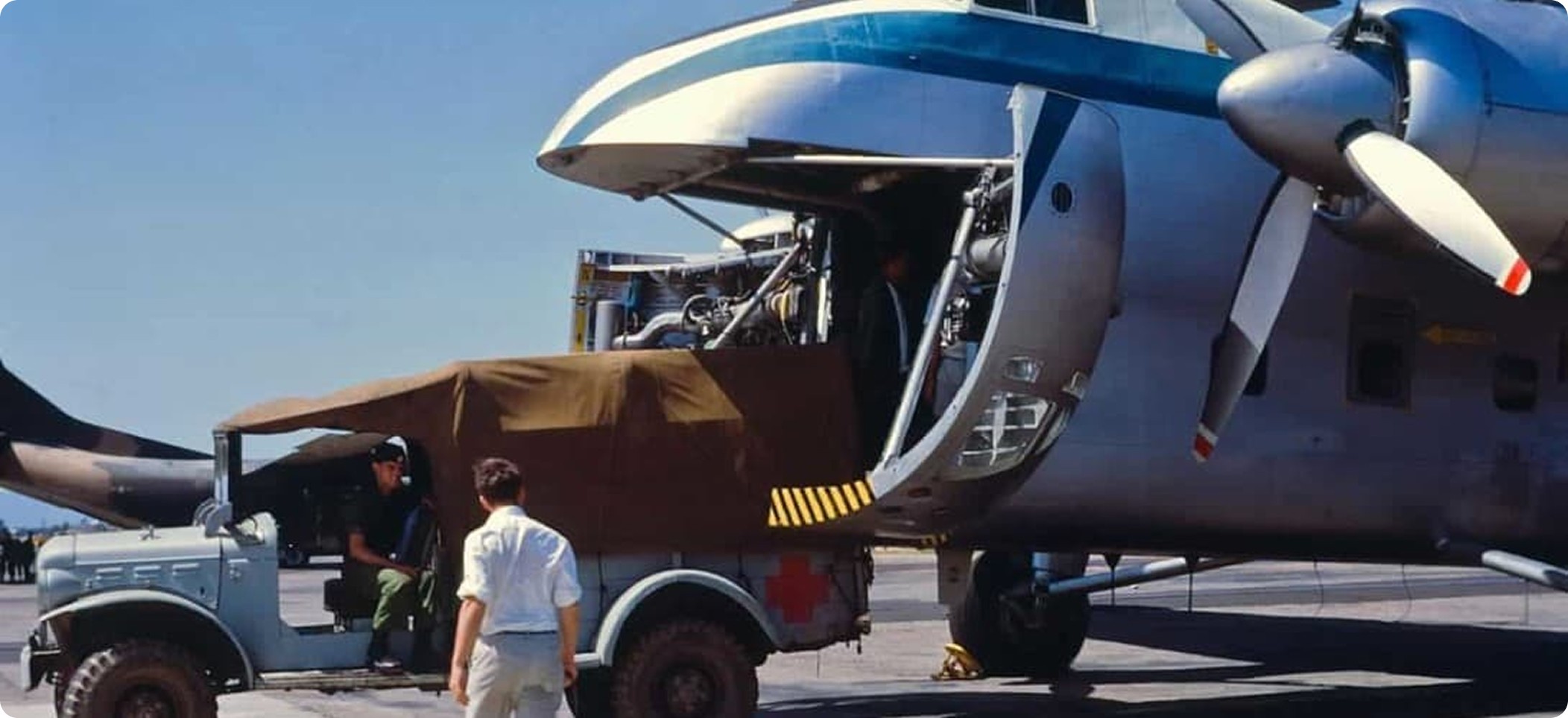
In modern military and civil logistic operations, the secure, fast, and efficient transportation of ammunition, equipment, fuel, first aid, and essential supplies by cargo aircraft is of critical importance. This project aims to design a user-friendly fleet management system that optimizes the management of logistic cargo vehicle.
Market research and analysis
Effective fleet and warehouse management solutions are critical for military and logistics operations, where efficiency, accuracy, and security are paramount. In the defense sector, managing cargo such as ammunition, equipment, and essential supplies requires robust digital systems to ensure seamless coordination and real-time tracking. Traditional fleet management solutions often lack the specialized features needed for mission-based operations, leading to inefficiencies and communication gaps.
Problems & Goals
Current fleet management processes are insufficient in terms of load tracking, operational planning, and inventory management. The key issues in the field include:
* Inefficient planning due to a lack of real-time data. - Real-Time Tracking Development
* Limited access to instant information regarding load capacity, weight distribution, and the status of critical supplies. - Operational Efficiency
* Increased operational risks due to the high error margin in manual records. - Inventory and Risk Management
Target Group
The primary target group consists of military fleet managers, logistics officers, and mission planners responsible for cargo aircraft operations. These professionals require a system that enhances operational efficiency, ensures accurate load tracking, and supports real-time decision-making. Additionally, ground support teams and maintenance personnel benefit from improved inventory management and streamlined workflows.

Concept Development & User Flow Design for Fleet Management (S5000F Standards)
Concept Development
Fleet management, in alignment with S5000F standards, focuses on structured data management, operational efficiency, and lifecycle tracking of fleet assets. The system is designed to ensure seamless coordination of vehicles, personnel, and equipment through a modular and standardized approach.
Key principles:
Asset Lifecycle Management – Tracks fleet assets from acquisition to decommissioning.
Operational Readiness – Ensures availability and maintenance status of fleet resources.
Integrated Planning & Execution – Supports real-time updates, task assignments, and resource allocation.
Compliance & Standardization – Adheres to S5000F data structures for consistency and interoperability.
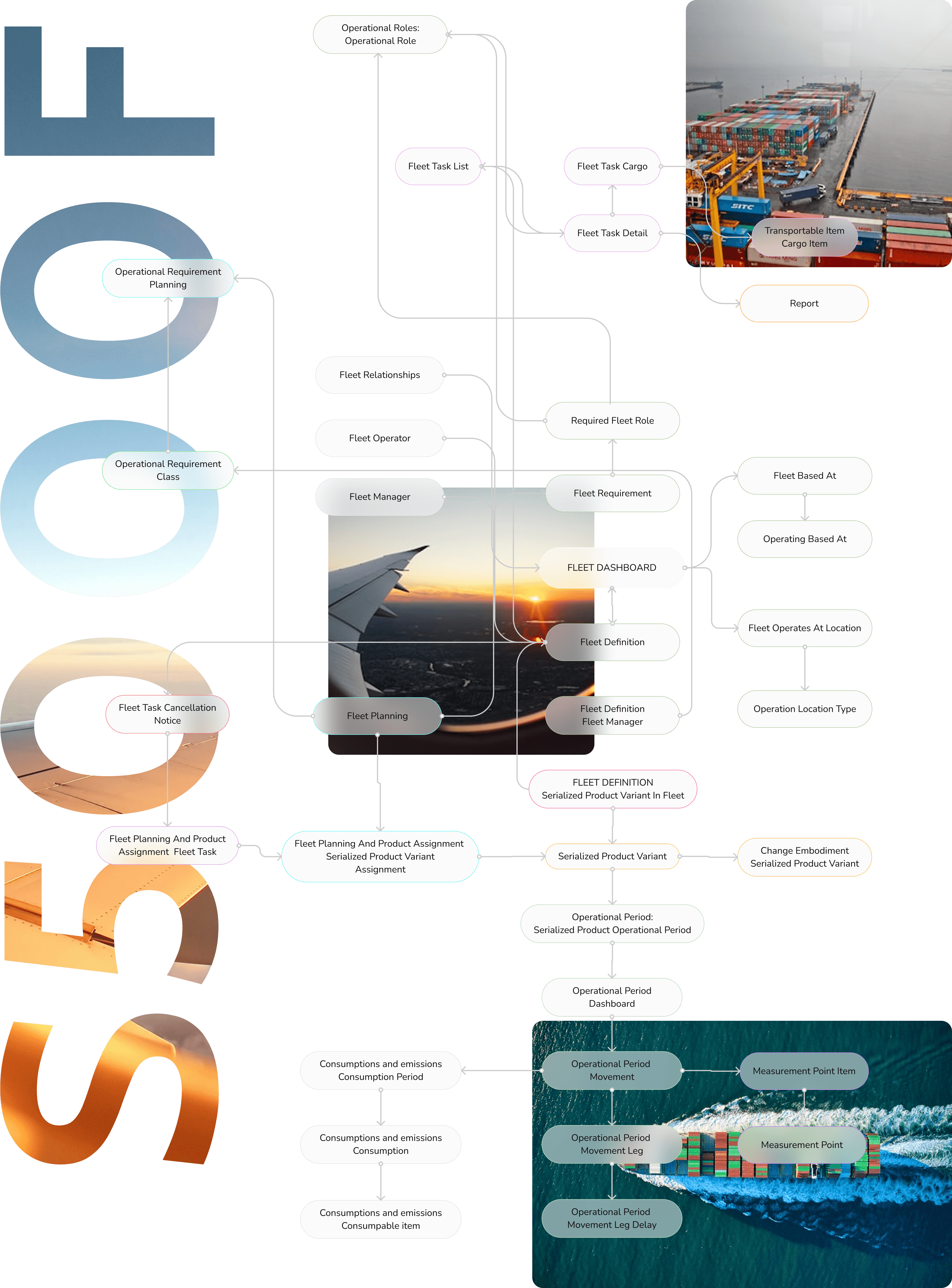
User Flow Design Fleet Overview & Asset Tracking
Fleet Overview & Asset Tracking
Users access a dashboard displaying fleet status, availability, and operational readiness. Fleet assets are categorized based on type, location, and usage.
Task Assignment & Operational Planning
Users select assets and assign them to tasks via an interactive scheduling interface.
The system ensures compliance with maintenance schedules and mission requirements.
Real-Time Monitoring & Execution
Live status updates and performance metrics are displayed for ongoing tasks.
Users can monitor fleet movements via integrated mapping tools.
Maintenance & Readiness Check
Preventive and corrective maintenance records are logged, following S5000F structured data formats.
Users receive alerts for upcoming maintenance needs.
Post-Operation Analysis & Reporting
Task performance, fuel consumption, and asset utilization are logged and analyzed.
Users can generate compliance reports and optimize future fleet operations.
This structured flow ensures efficient fleet utilization, minimized downtime, and data-driven decision-making, all in compliance with S5000F standards.
Solution & Design
Main Screen
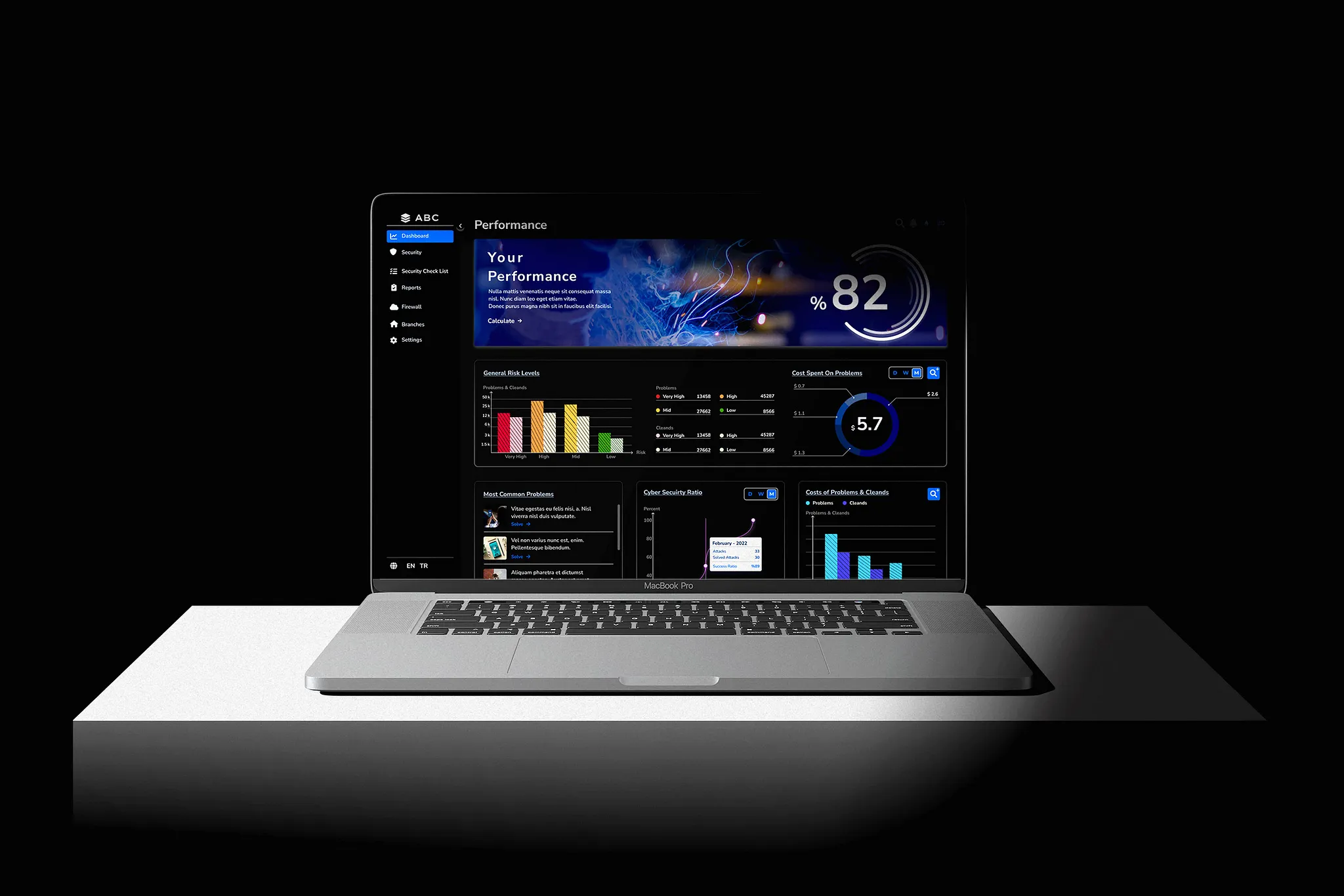
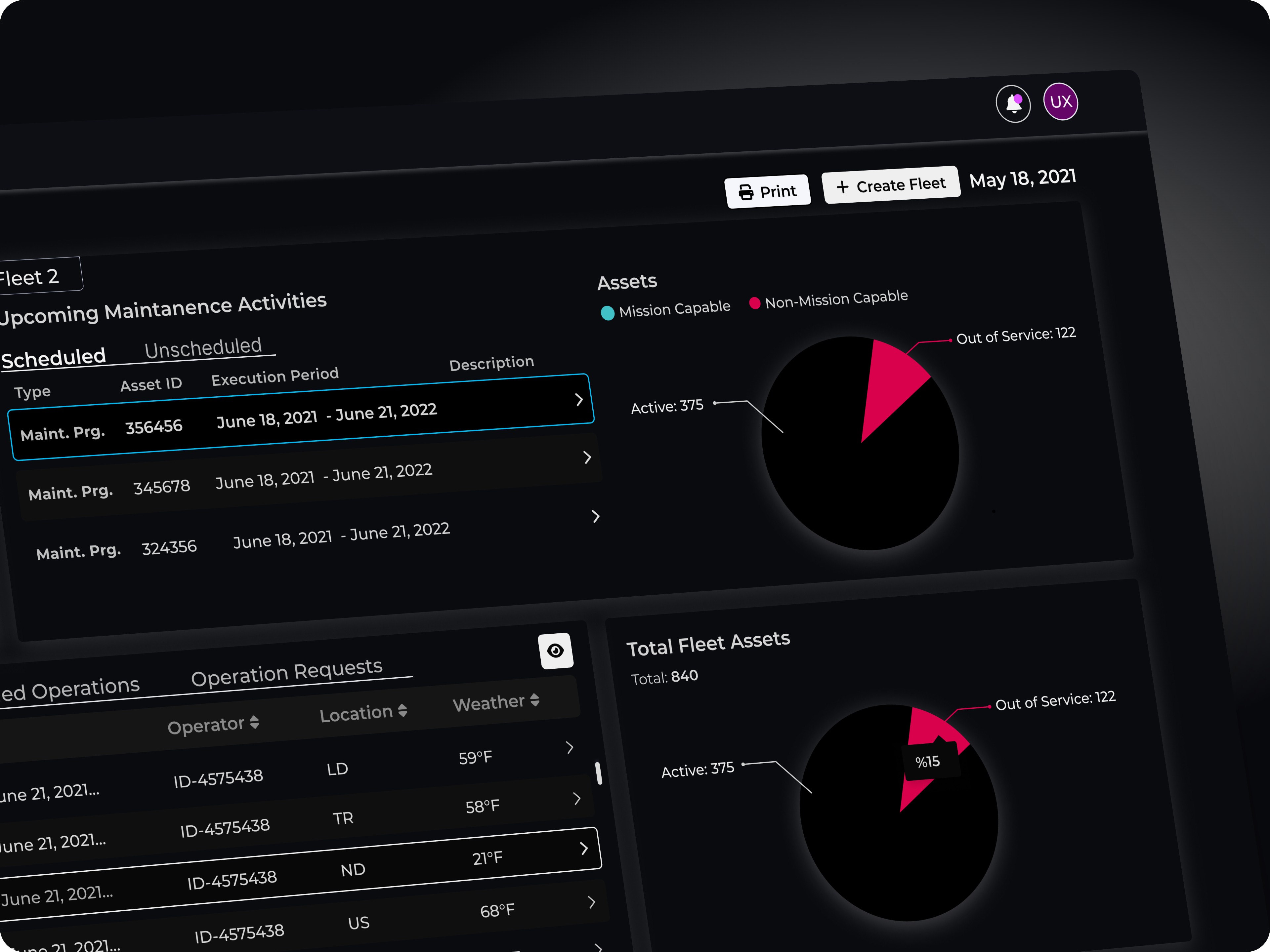
The main screen is designed in accordance with S500F standards, tailored to meet user needs within fleet management. It serves as the entry point to a system that integrates multiple infrastructures, ensuring users can access their tasks and data in a secure, streamlined manner.
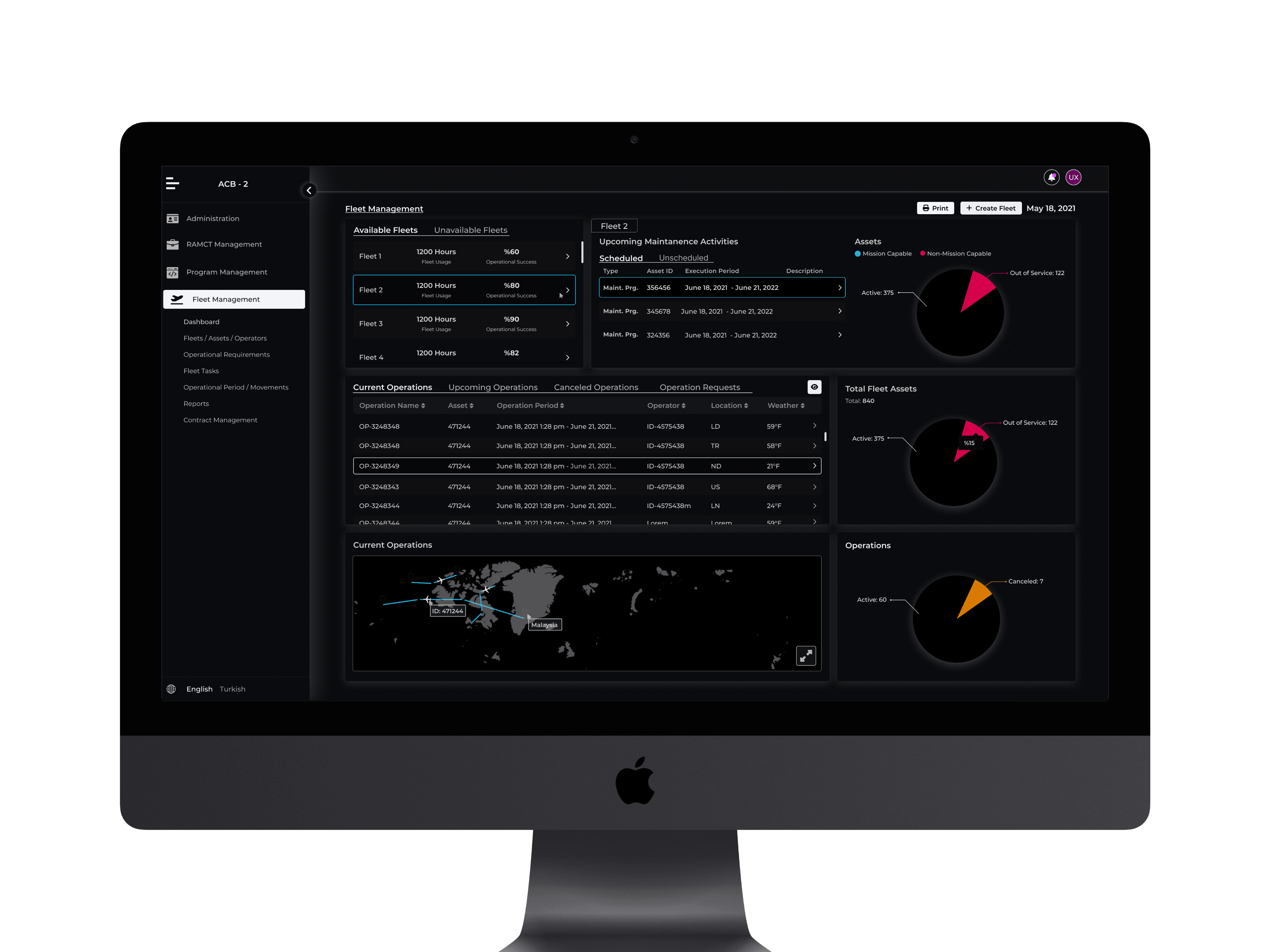
The system is built to accommodate various user roles and permissions, allowing different levels of access based on the user's profile and their specific responsibilities within the fleet management environment.
Timeline Dashboard
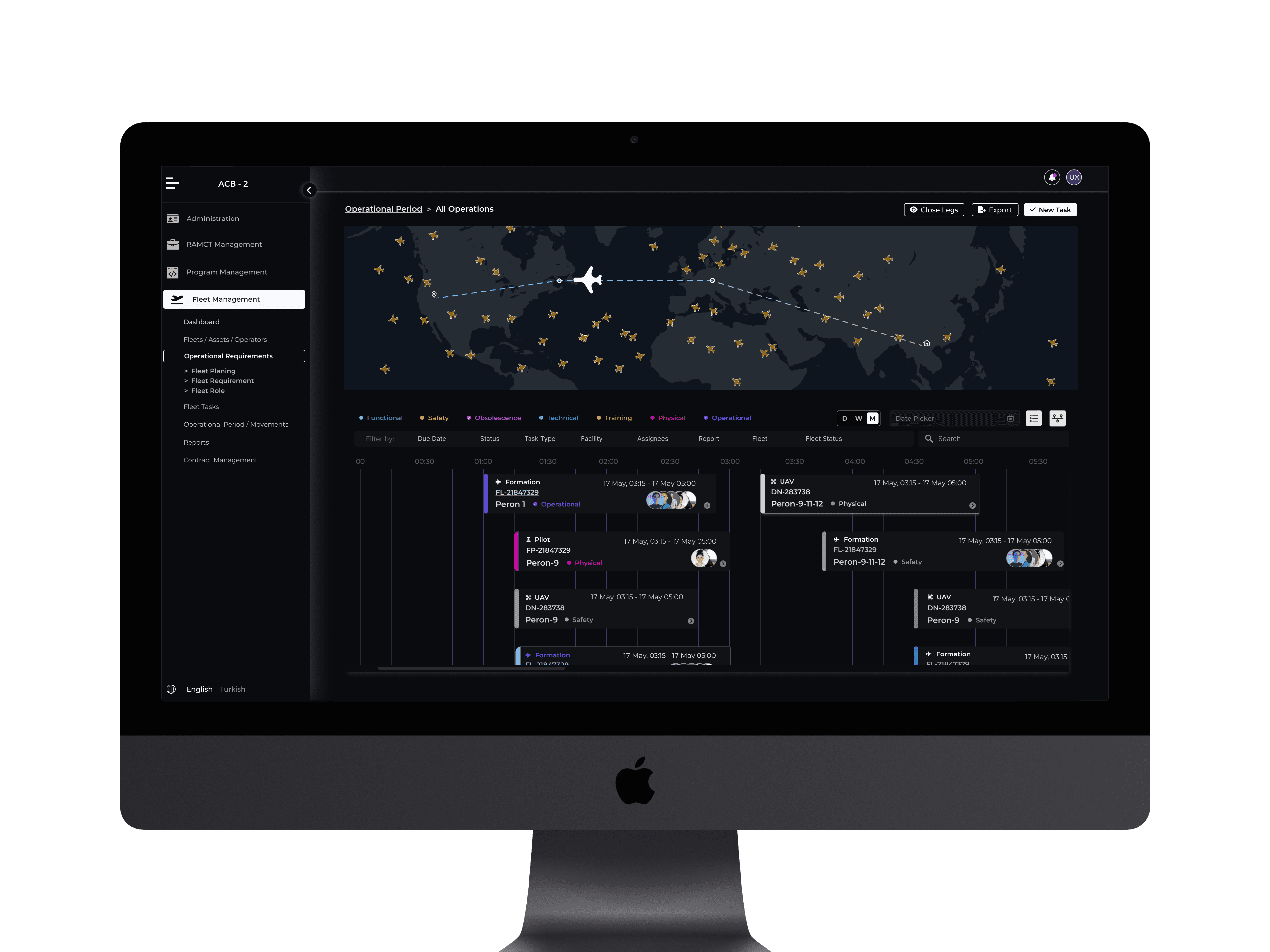
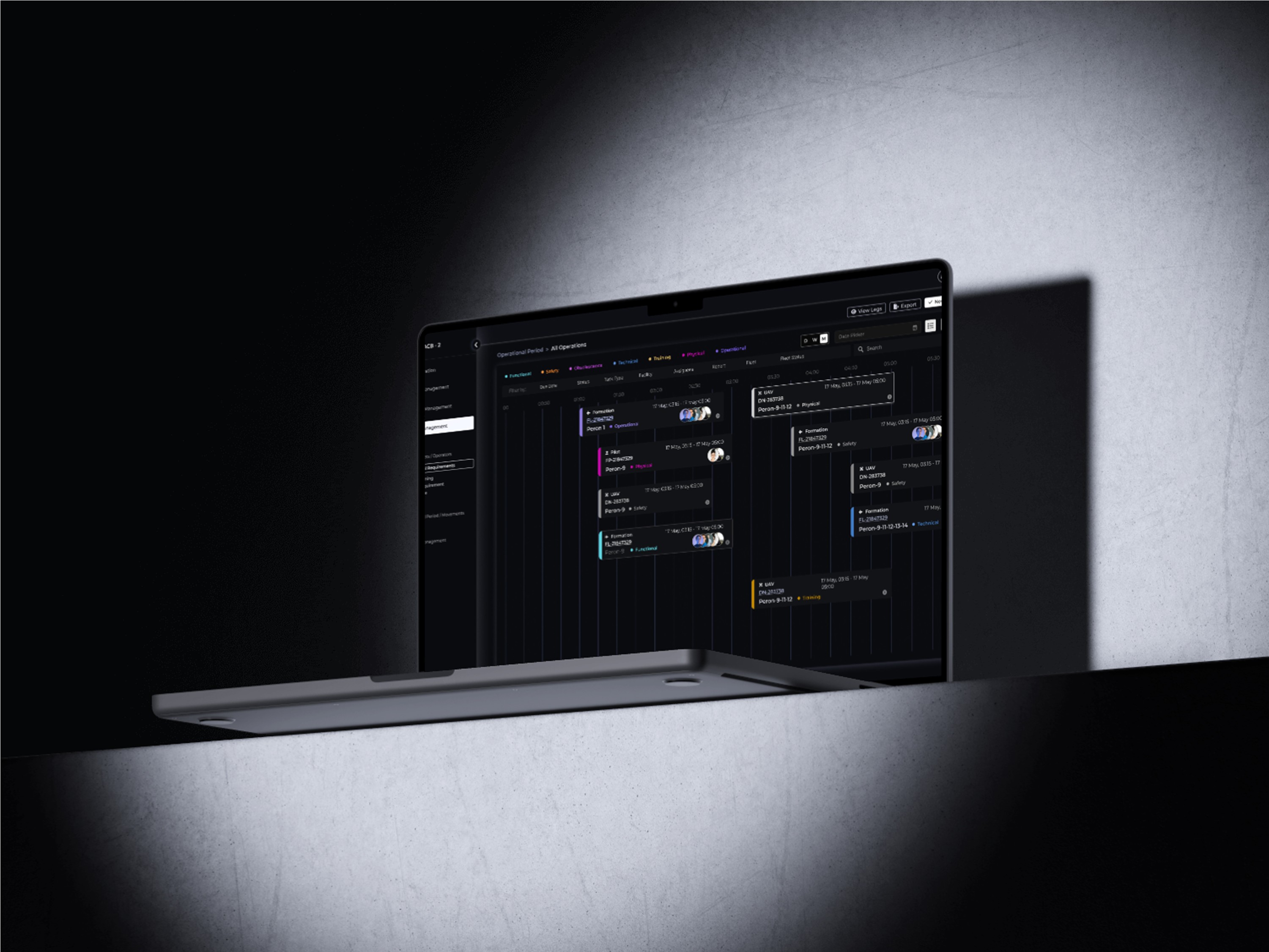
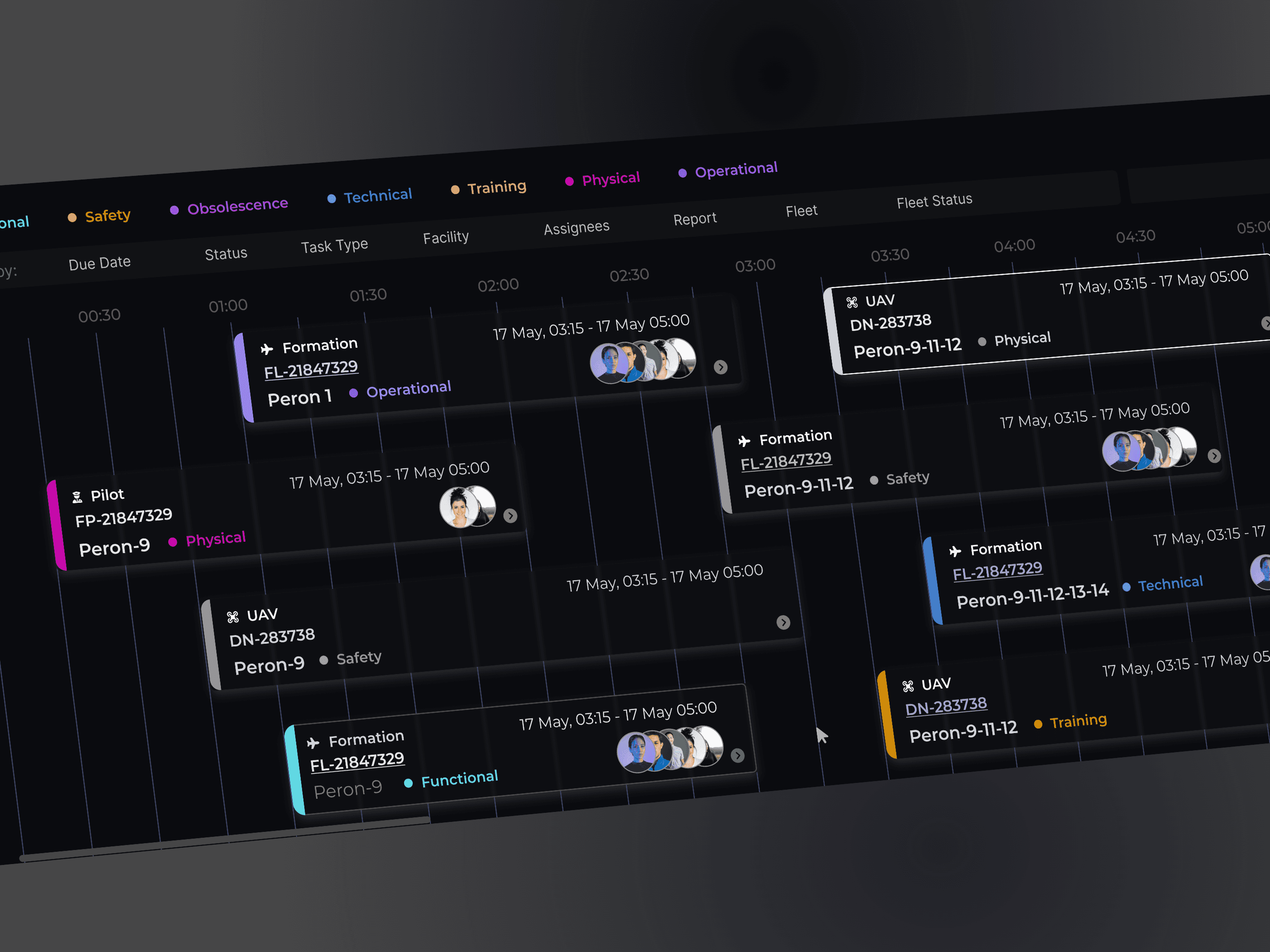
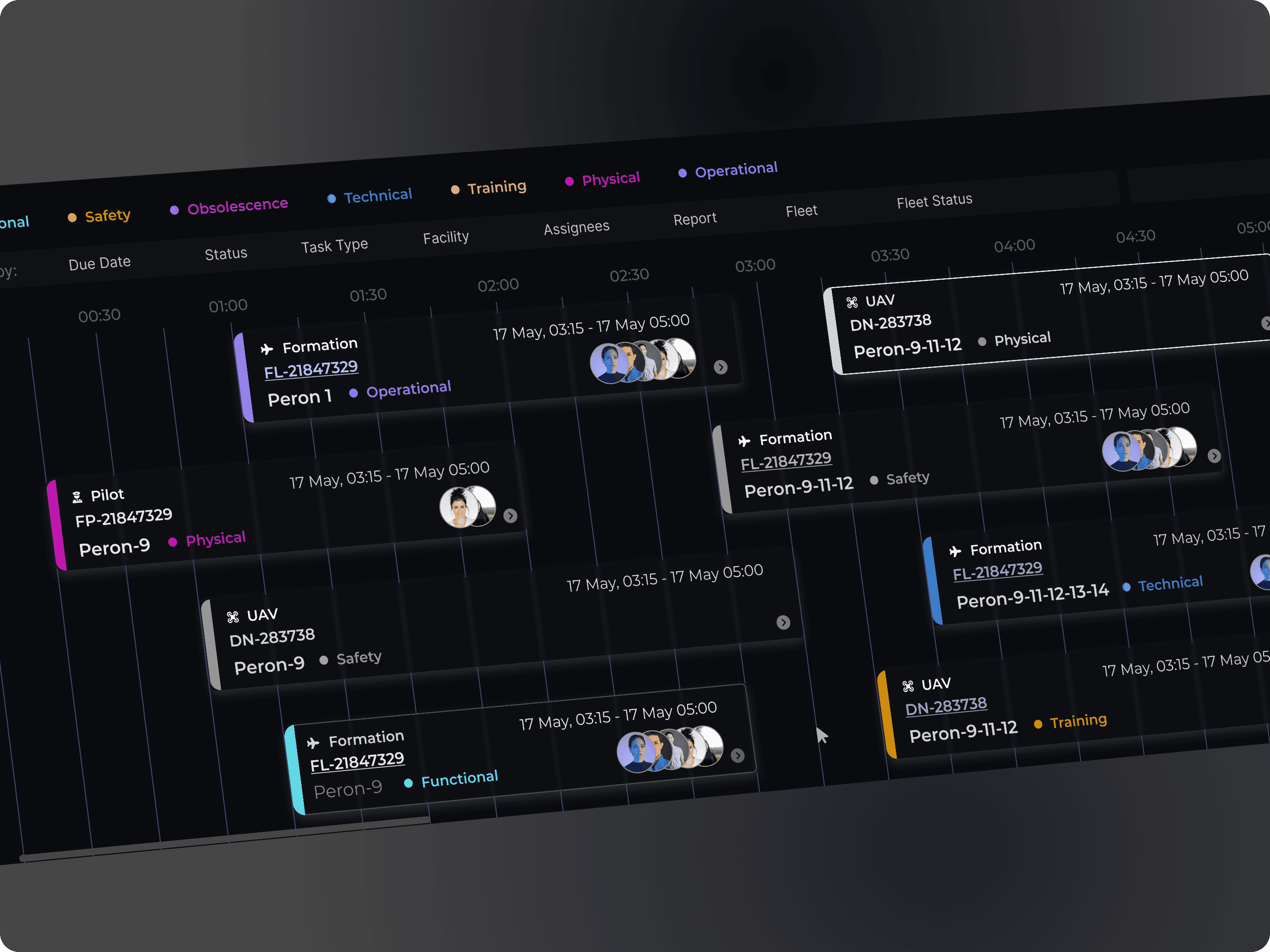
In the fleet management system, I designed a timeline to streamline the observation of ongoing operations. Each task is represented as a card containing key details, such as the task name, assigned pilots or drivers, scheduled time, departure pier, and task type.
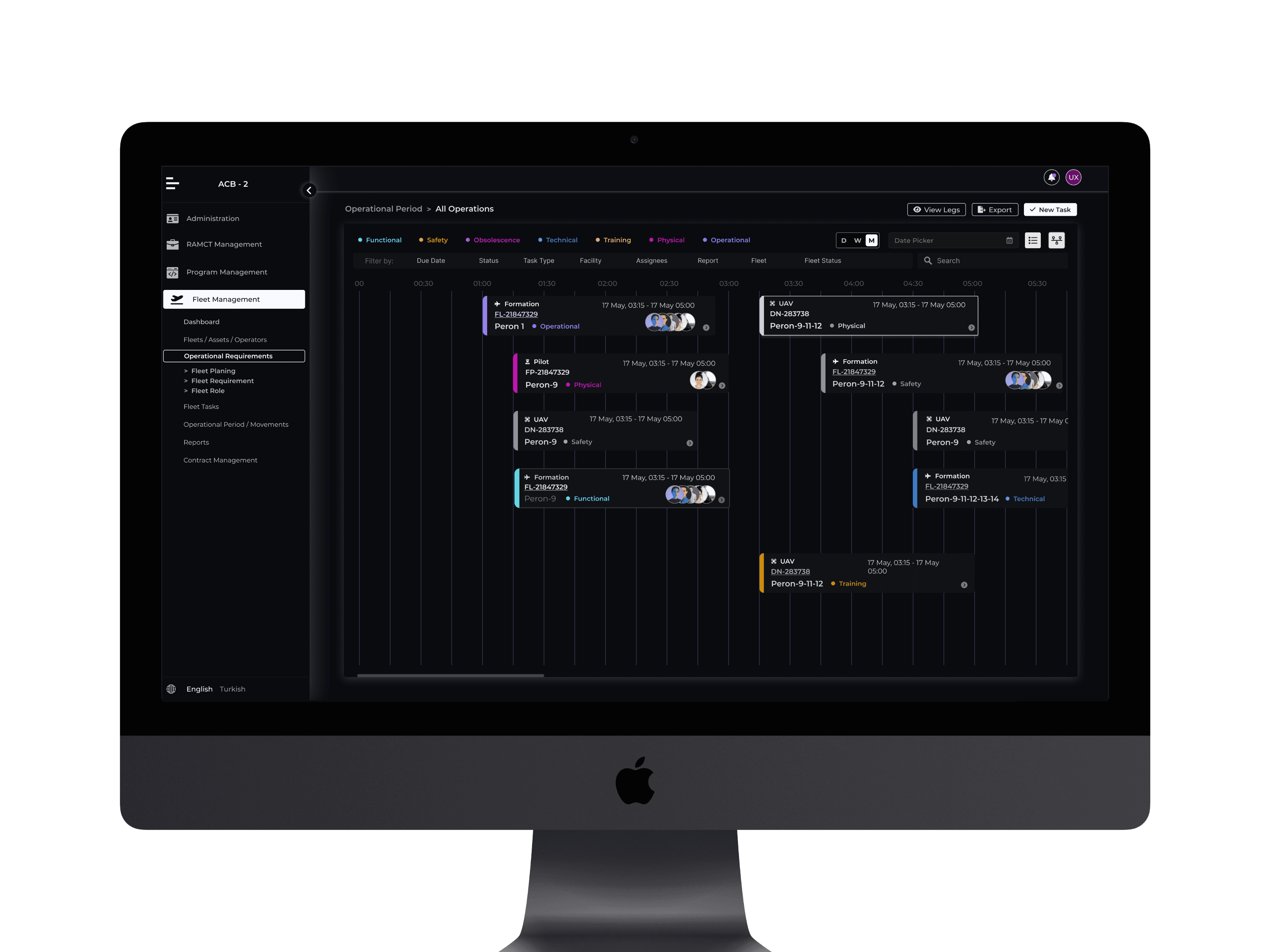
Users can click on any task card to open a detailed view, where they can review additional information and take necessary actions. This approach allows users to efficiently monitor and manage tasks, ensuring timely interventions and clear visibility of operational statuses.
Task-Based Inventory Management Interface
The Task Inventory Management page is designed to provide a comprehensive overview of stock levels, capacity changes, and recent activities, ensuring seamless tracking and decision-making.
Key elements of the interface include:
Stock Status Visualization: Over/Under stock levels are represented with a pie chart for quick assessment.
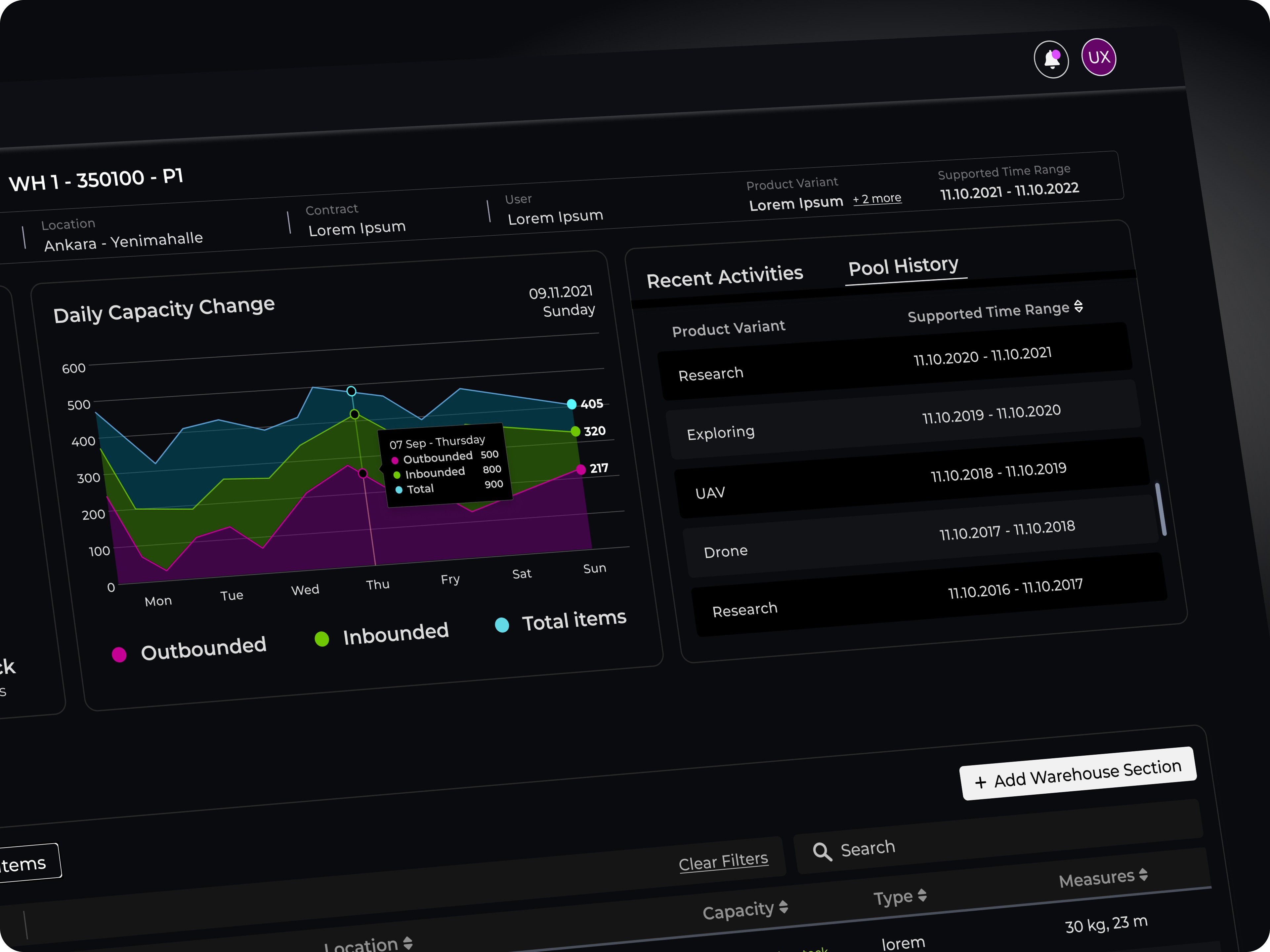
Capacity Trends: A line chart tracks daily capacity changes, offering insights into fluctuations over time.
Recent Activities: A dedicated section highlights the latest stock movements and updates.
Pool Activity: Provides a focused view of item circulation and usage trends.
Item List: A structured inventory list enables detailed stock monitoring and management.
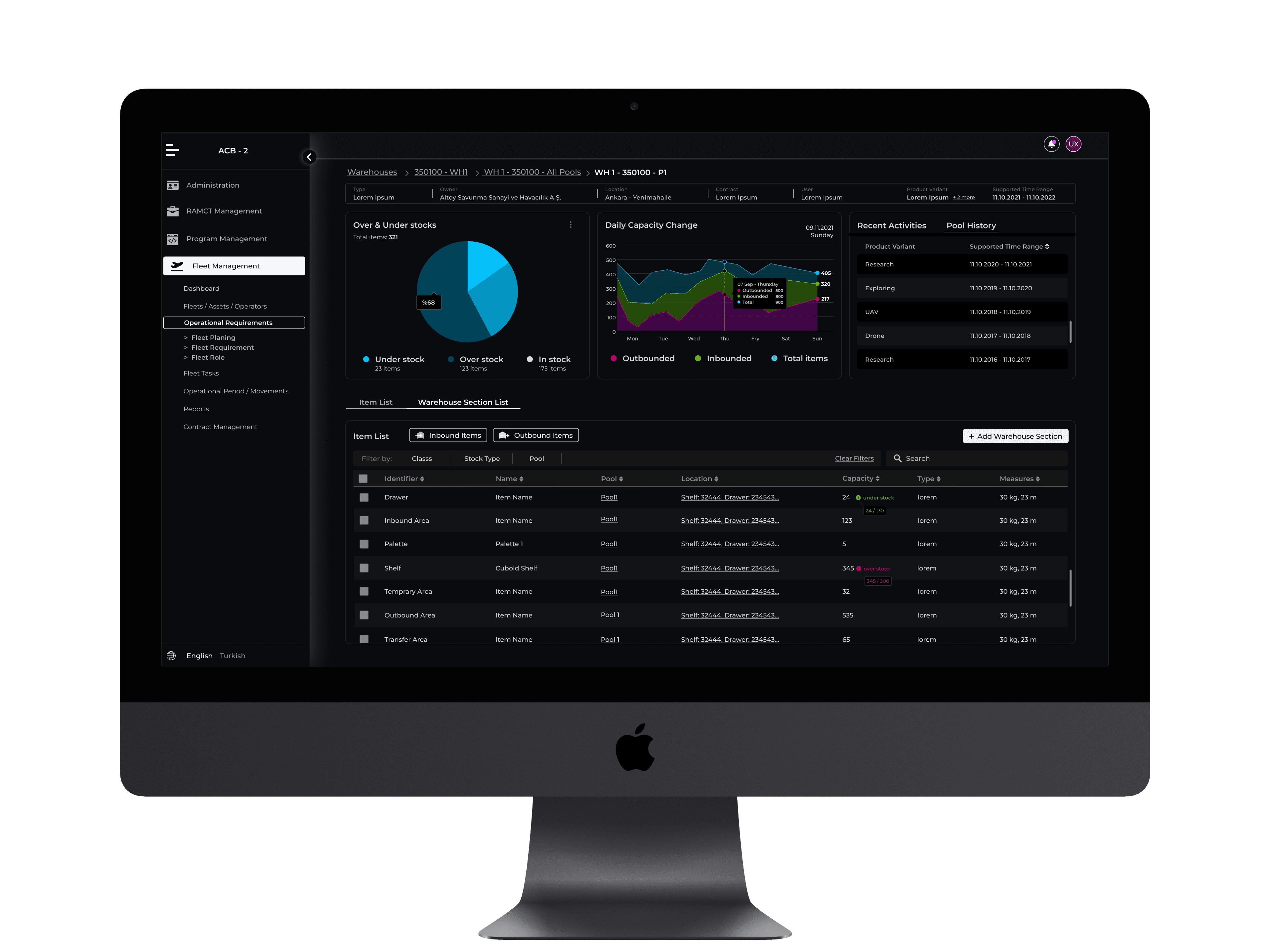
Designed for operational efficiency, this page is accessible from both the Fleet Management and Warehouse Management modules, ensuring a centralized inventory tracking system that supports cross-functional workflows. This seamless integration allows users to monitor and manage task-related inventory with precision, minimizing stock risks and optimizing resource allocation.
Brief
In modern military and civil logistic operations, the secure, fast, and efficient transportation of ammunition, equipment, fuel, first aid, and essential supplies by cargo aircraft is of critical importance. This project aims to design a user-friendly fleet management system that optimizes the management of logistic cargo vehicle.
Market research and analysis
Effective fleet and warehouse management solutions are critical for military and logistics operations, where efficiency, accuracy, and security are paramount. In the defense sector, managing cargo such as ammunition, equipment, and essential supplies requires robust digital systems to ensure seamless coordination and real-time tracking. Traditional fleet management solutions often lack the specialized features needed for mission-based operations, leading to inefficiencies and communication gaps.
Problems & Goals
Current fleet management processes are insufficient in terms of load tracking, operational planning, and inventory management. The key issues in the field include:
* Inefficient planning due to a lack of real-time data. - Real-Time Tracking Development
* Limited access to instant information regarding load capacity, weight distribution, and the status of critical supplies. - Operational Efficiency
* Increased operational risks due to the high error margin in manual records. - Inventory and Risk Management
Target Group
The primary target group consists of military fleet managers, logistics officers, and mission planners responsible for cargo aircraft operations. These professionals require a system that enhances operational efficiency, ensures accurate load tracking, and supports real-time decision-making. Additionally, ground support teams and maintenance personnel benefit from improved inventory management and streamlined workflows.
Concept Development & User Flow Design for Fleet Management (S5000F Standards)
Concept Development
Fleet management, in alignment with S5000F standards, focuses on structured data management, operational efficiency, and lifecycle tracking of fleet assets. The system is designed to ensure seamless coordination of vehicles, personnel, and equipment through a modular and standardized approach.
Key principles:
Asset Lifecycle Management – Tracks fleet assets from acquisition to decommissioning.
Operational Readiness – Ensures availability and maintenance status of fleet resources.
Integrated Planning & Execution – Supports real-time updates, task assignments, and resource allocation.
Compliance & Standardization – Adheres to S5000F data structures for consistency and interoperability.
User Flow Design Fleet Overview & Asset Tracking
Fleet Overview & Asset Tracking
Users access a dashboard displaying fleet status, availability, and operational readiness. Fleet assets are categorized based on type, location, and usage.
Task Assignment & Operational Planning
Users select assets and assign them to tasks via an interactive scheduling interface.
The system ensures compliance with maintenance schedules and mission requirements.
Real-Time Monitoring & Execution
Live status updates and performance metrics are displayed for ongoing tasks.
Users can monitor fleet movements via integrated mapping tools.
Maintenance & Readiness Check
Preventive and corrective maintenance records are logged, following S5000F structured data formats.
Users receive alerts for upcoming maintenance needs.
Post-Operation Analysis & Reporting
Task performance, fuel consumption, and asset utilization are logged and analyzed.
Users can generate compliance reports and optimize future fleet operations.
This structured flow ensures efficient fleet utilization, minimized downtime, and data-driven decision-making, all in compliance with S5000F standards.
Solution & Design
Main Screen
The main screen is designed in accordance with S500F standards, tailored to meet user needs within fleet management. It serves as the entry point to a system that integrates multiple infrastructures, ensuring users can access their tasks and data in a secure, streamlined manner.
The system is built to accommodate various user roles and permissions, allowing different levels of access based on the user's profile and their specific responsibilities within the fleet management environment.
Timeline Dashboard
In the fleet management system, I designed a timeline to streamline the observation of ongoing operations. Each task is represented as a card containing key details, such as the task name, assigned pilots or drivers, scheduled time, departure pier, and task type.
Users can click on any task card to open a detailed view, where they can review additional information and take necessary actions. This approach allows users to efficiently monitor and manage tasks, ensuring timely interventions and clear visibility of operational statuses.
Task-Based Inventory Management Interface
The Task Inventory Management page is designed to provide a comprehensive overview of stock levels, capacity changes, and recent activities, ensuring seamless tracking and decision-making.
Key elements of the interface include:
Stock Status Visualization: Over/Under stock levels are represented with a pie chart for quick assessment.
Capacity Trends: A line chart tracks daily capacity changes, offering insights into fluctuations over time.
Recent Activities: A dedicated section highlights the latest stock movements and updates.
Pool Activity: Provides a focused view of item circulation and usage trends.
Item List: A structured inventory list enables detailed stock monitoring and management.
Designed for operational efficiency, this page is accessible from both the Fleet Management and Warehouse Management modules, ensuring a centralized inventory tracking system that supports cross-functional workflows. This seamless integration allows users to monitor and manage task-related inventory with precision, minimizing stock risks and optimizing resource allocation.
History Page
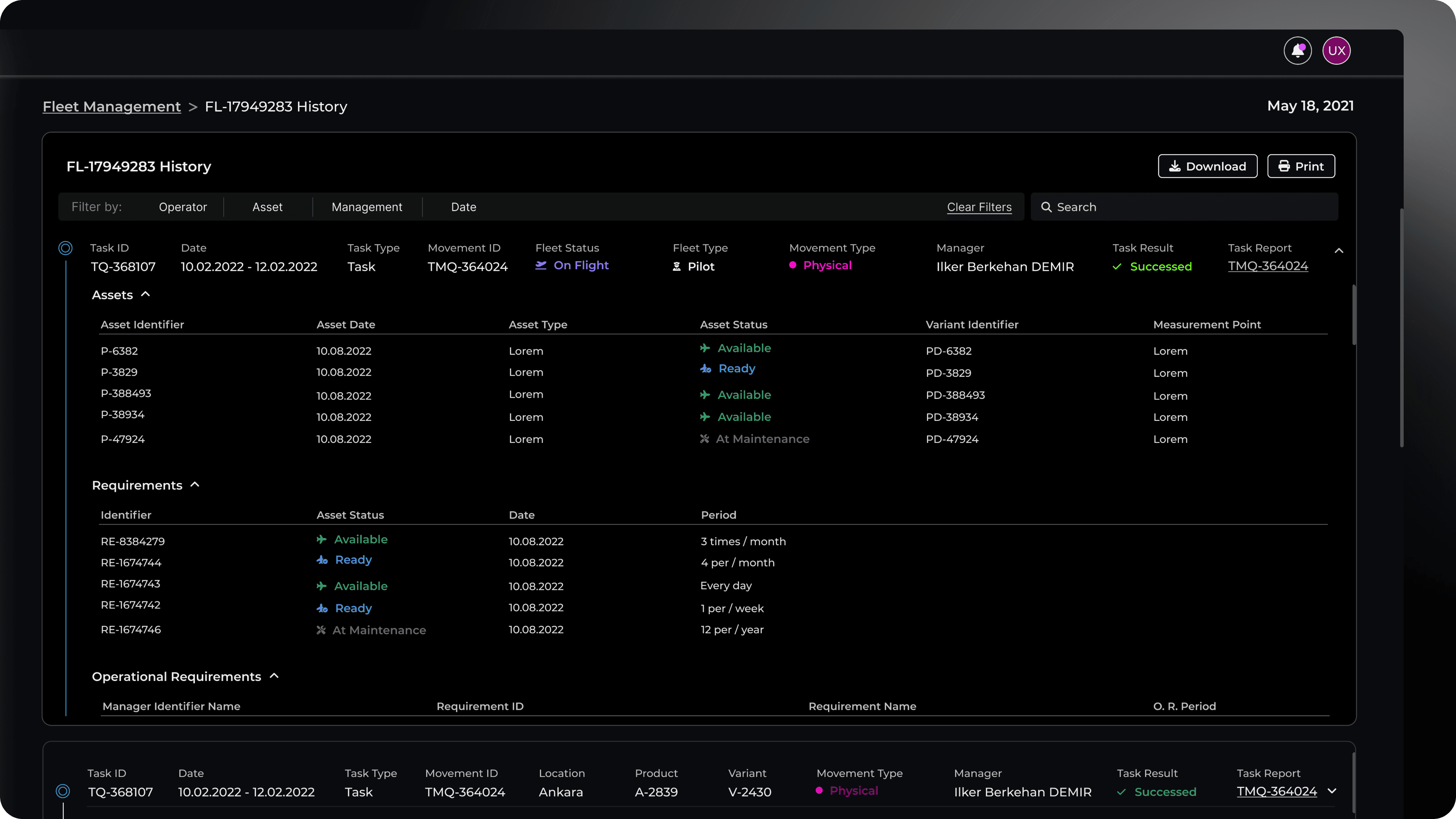
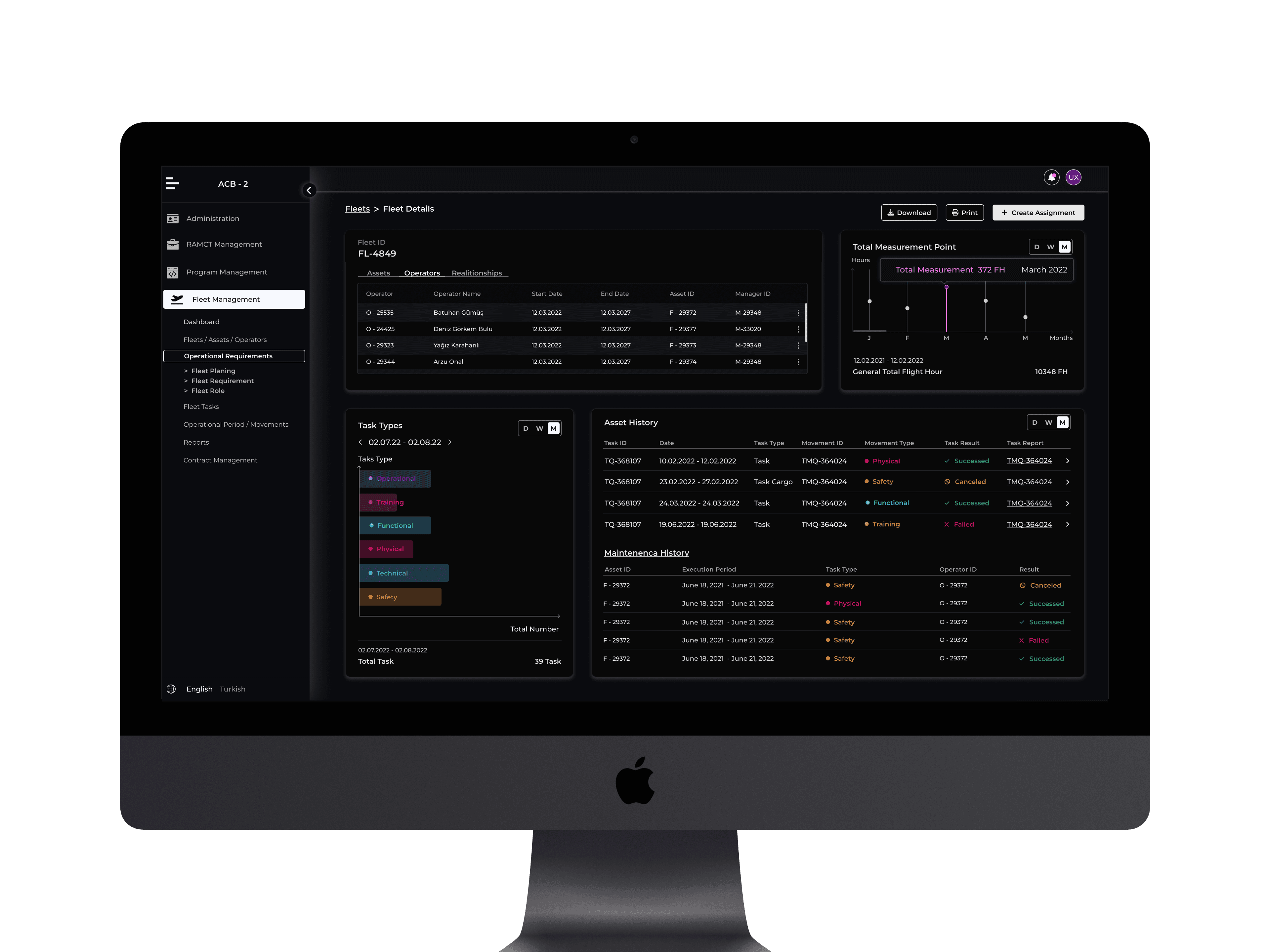
I designed a Fleet Task Details Screen that provides a comprehensive view of all tasks performed by a fleet, along with their detailed information. This screen is accessible from both the main dashboard and the asset management page, ensuring seamless navigation.
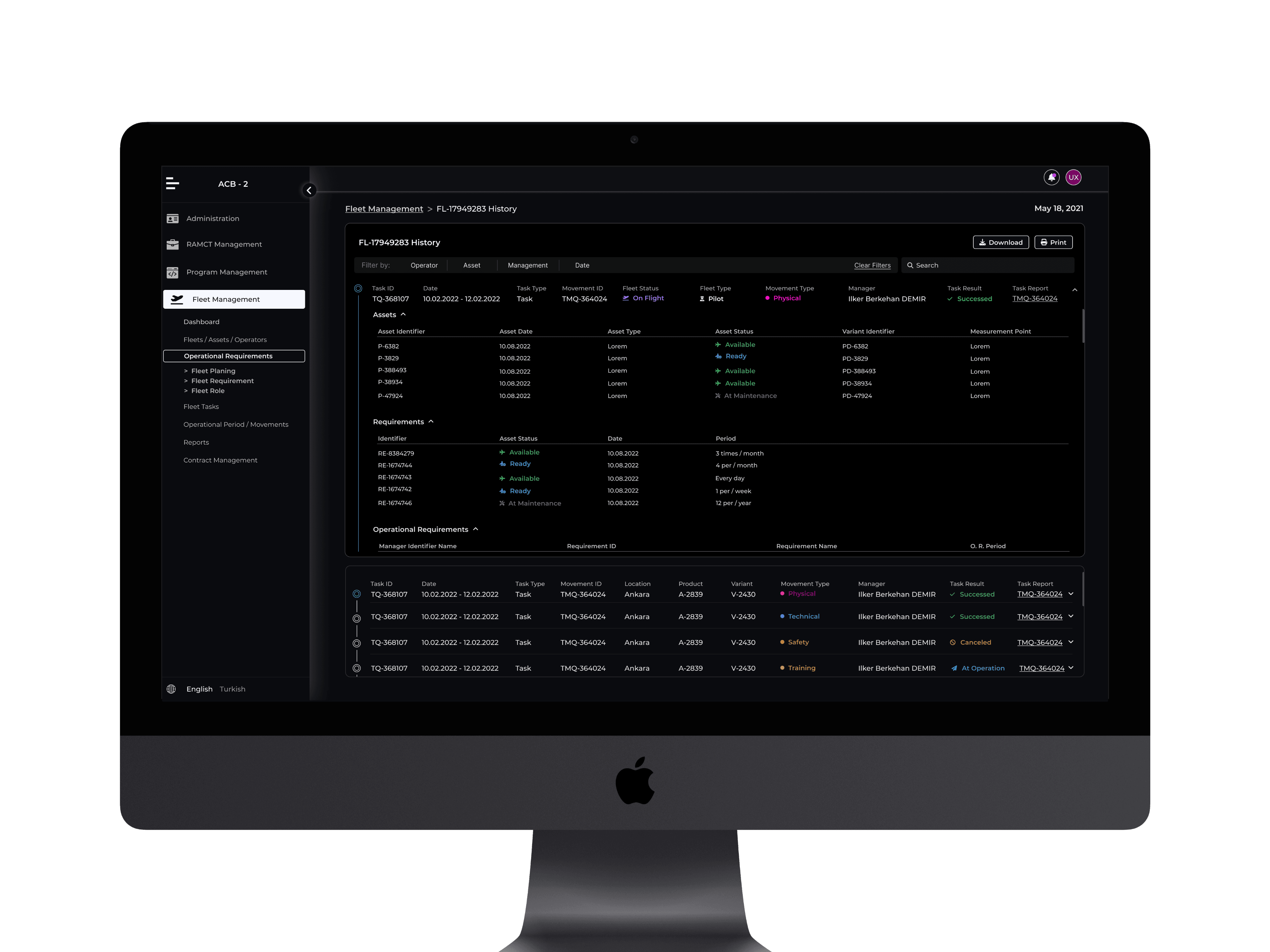
To enhance usability, users can apply filters based on operator, asset type, manager, and date, allowing for a more refined search experience. The screen presents a structured overview of fleet assets, including asset type, status variant identifier, and operational status.
At a more granular level, users can explore details such as assets, requirements, and operational requirements, along with movement type, task outcomes, and a direct link to the task report. This structured approach ensures that users can efficiently track, analyze, and manage fleet operations in real time.
Environmental Forecast & Monitoring Interface
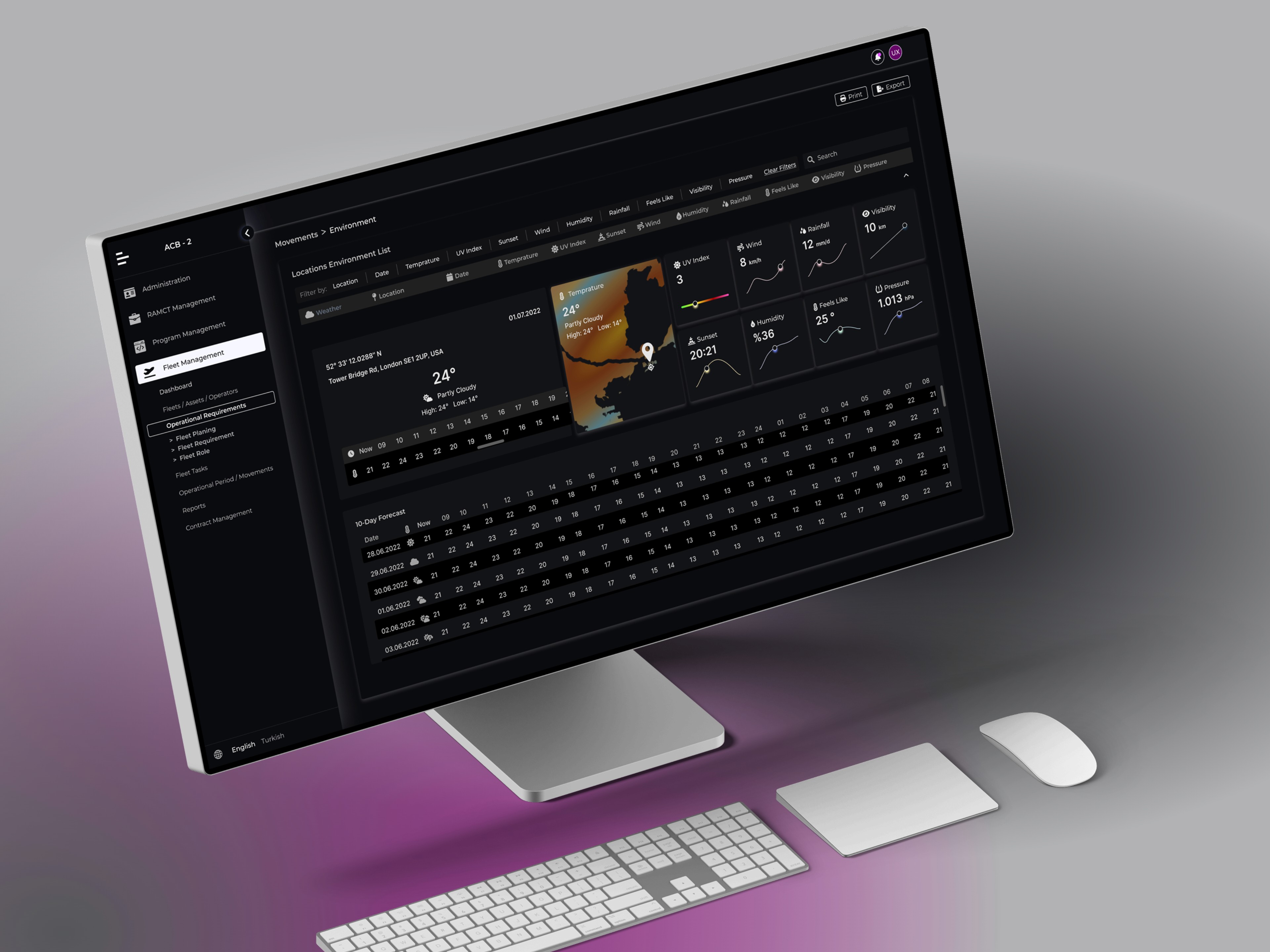
The Environment Page provides a high-resolution meteorological overview, ensuring precise environmental awareness for operational planning and decision-making.
Key Features
Location-Based Environment List: Displays environmental conditions across multiple locations for quick comparison and assessment.
10-Day Weather Forecast: A forward-looking view of expected weather conditions, enabling strategic planning based on upcoming changes.
Detailed Daily Weather Breakdown: Each day’s forecast is presented with the highest level of granularity, covering key meteorological variables such as temperature, humidity, wind speed, precipitation probability, and atmospheric pressure.
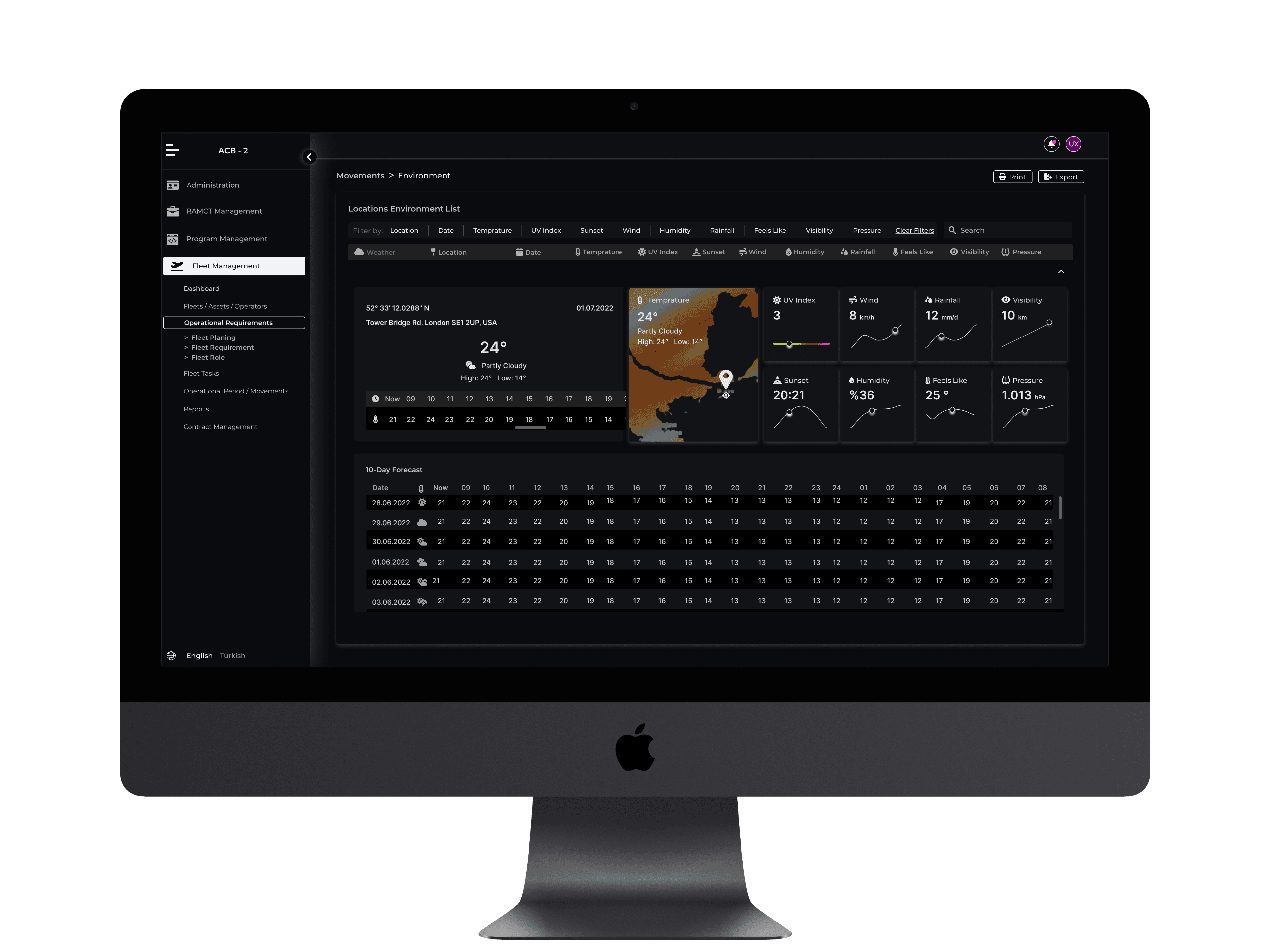
This page is designed to support data-driven decision-making by offering comprehensive weather insights, minimizing environmental risks, and enhancing operational adaptability.
Task and Report Page
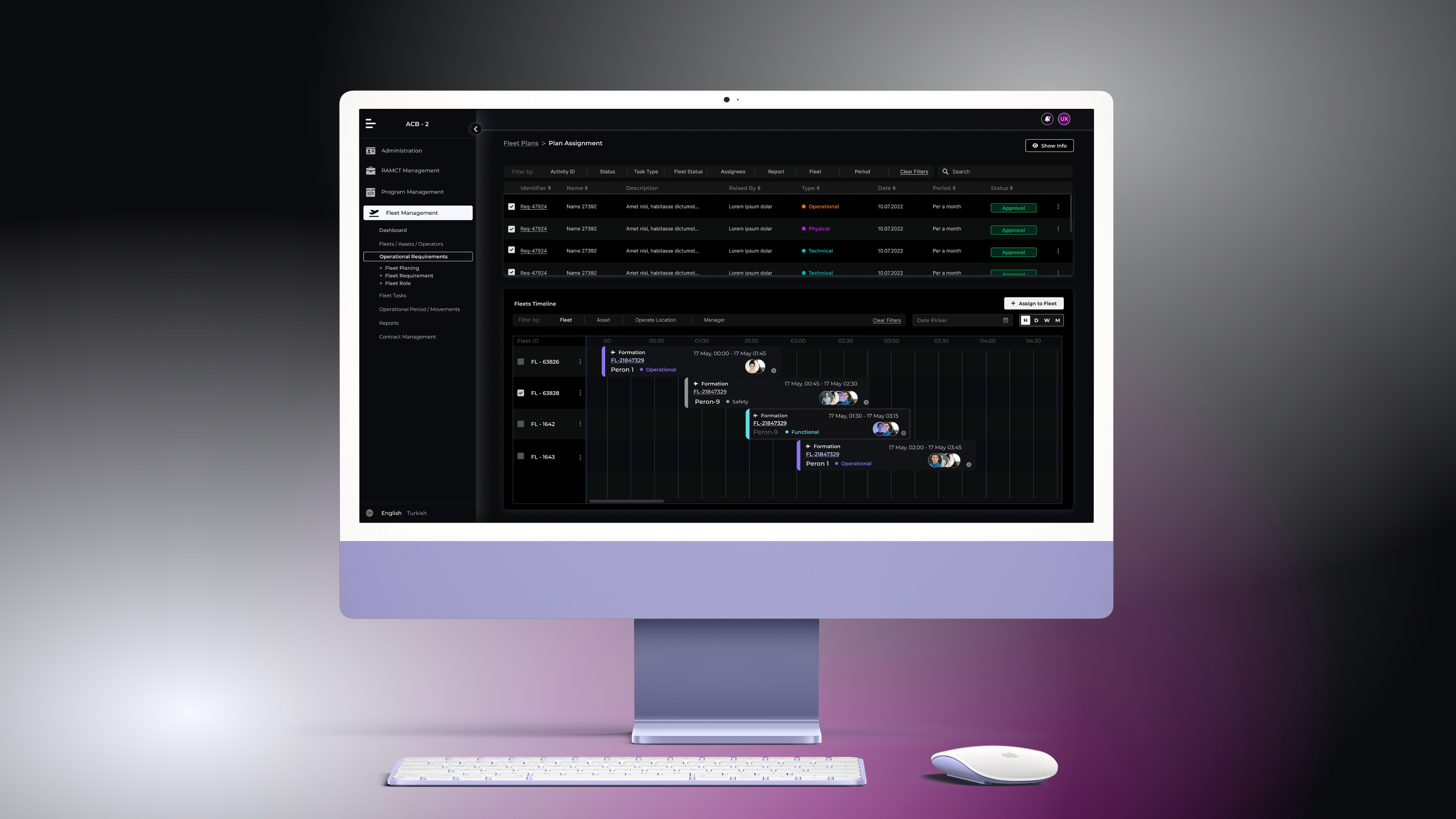
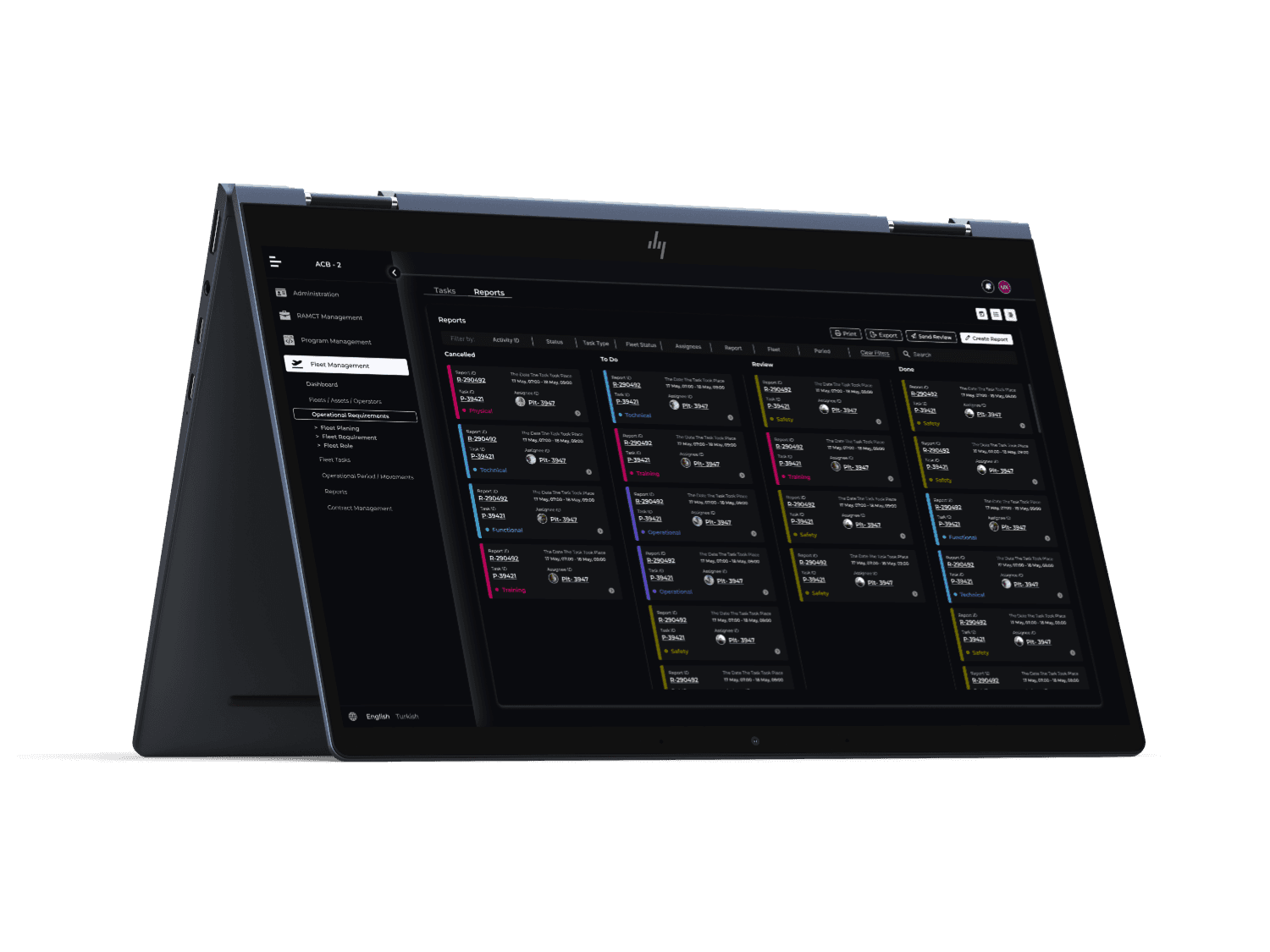
The Task and Report Page is a comprehensive dashboard designed with a card-based structure to manage all reported data and planned tasks. Much like tools such as Jira, this interface allows users to easily update task statuses and track ongoing work. The dashboard offers real-time visibility into task progress, ensuring users can quickly identify what requires attention.
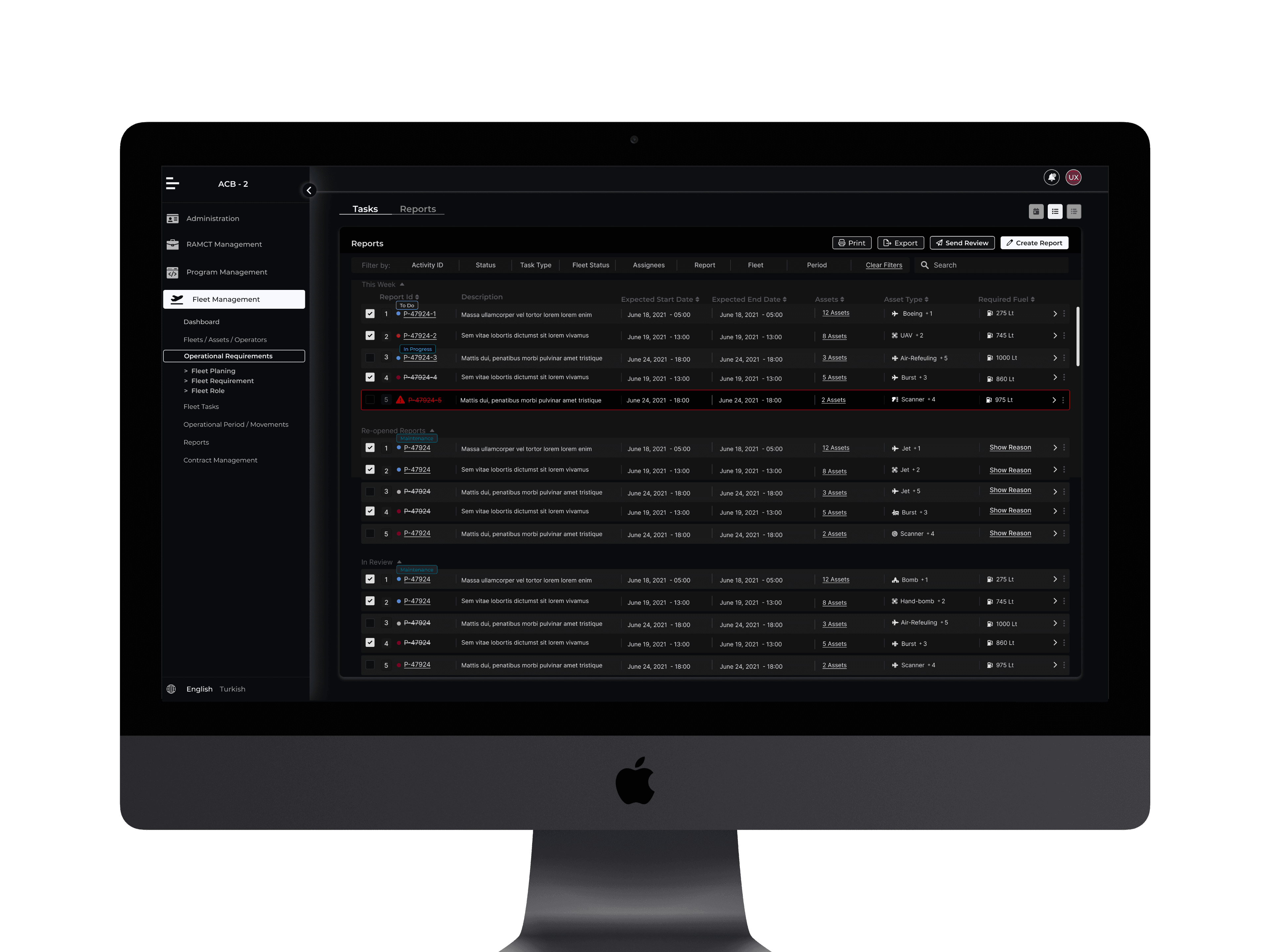
A key feature of this design is the adaptability based on user roles: actions and visibility levels can be customized according to the user’s specific profile. This ensures that every user, whether a team member or a manager, only sees and interacts with the data relevant to their responsibilities, optimizing workflows and reducing cognitive load.
Operator Detail Page
Operator Detail Page that provides a comprehensive overview of an operator's performance and workload. At the top, an Operator General Card displays key details such as the operator’s name, status, license date, assigned assets, and a useful status mini-table.
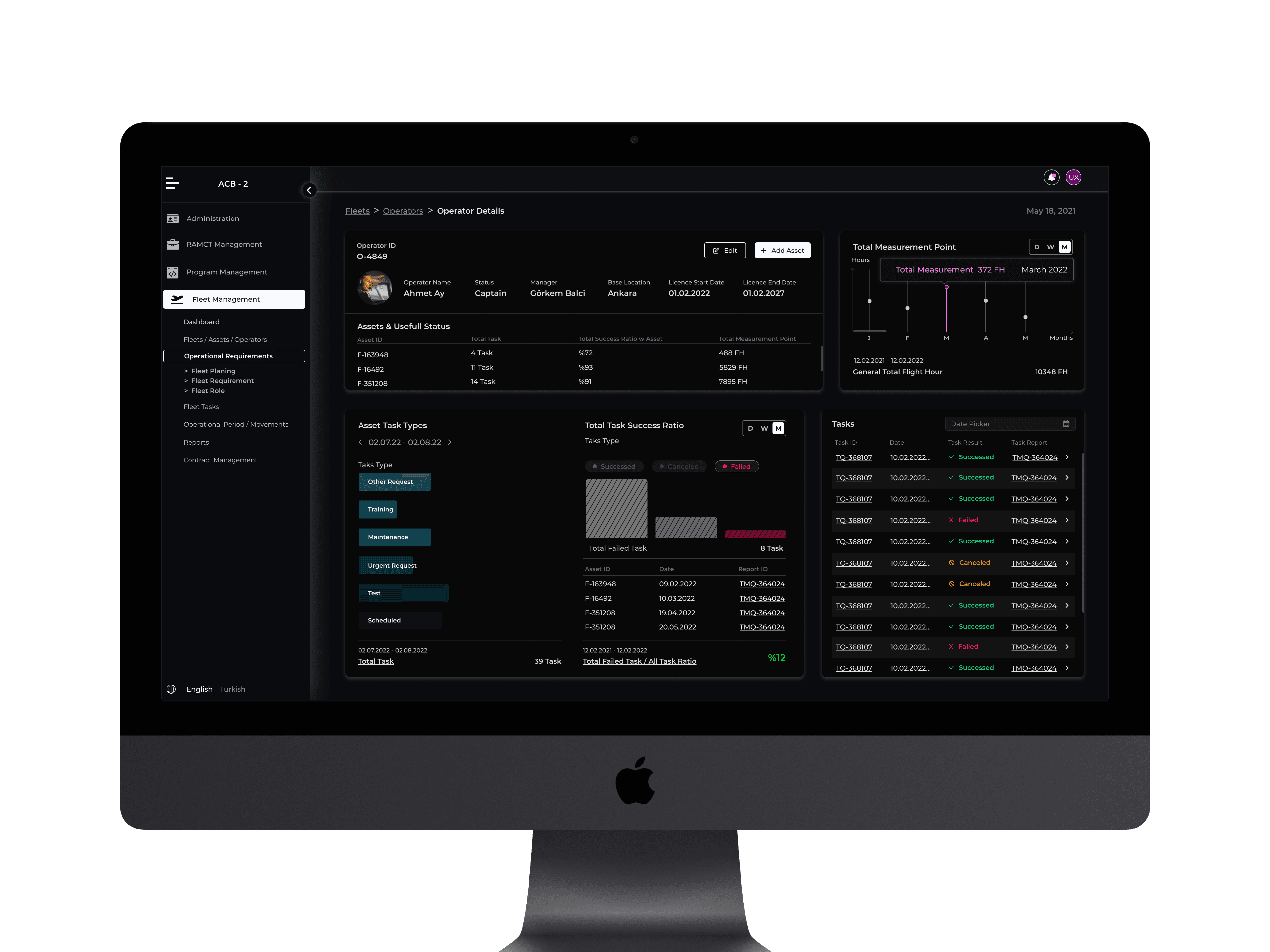
The page also presents task-related insights, including the types of asset tasks performed and total task success ratios. A content switcher enables users to analyze data daily, weekly, or monthly, allowing for flexible performance tracking.
To visualize workload distribution, a line chart represents the total measurement points, showing how long the operator has been active over time. Additionally, a task list table provides an overview of assigned tasks, where managers can click a link button to access detailed task information.
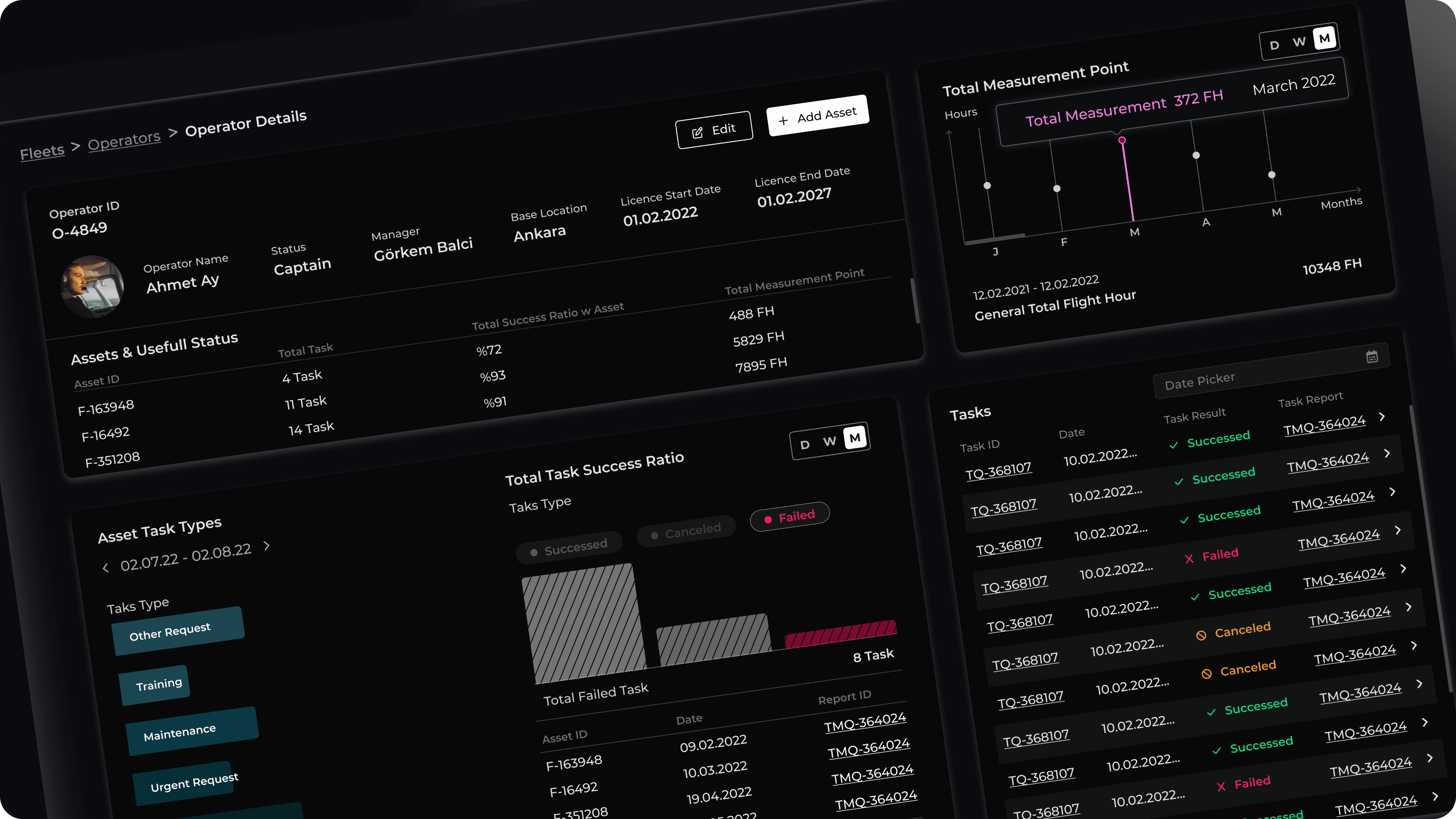
This structured and data-driven approach helps managers efficiently monitor and assess operator performance.
Movement Tracking & Route Management Interface
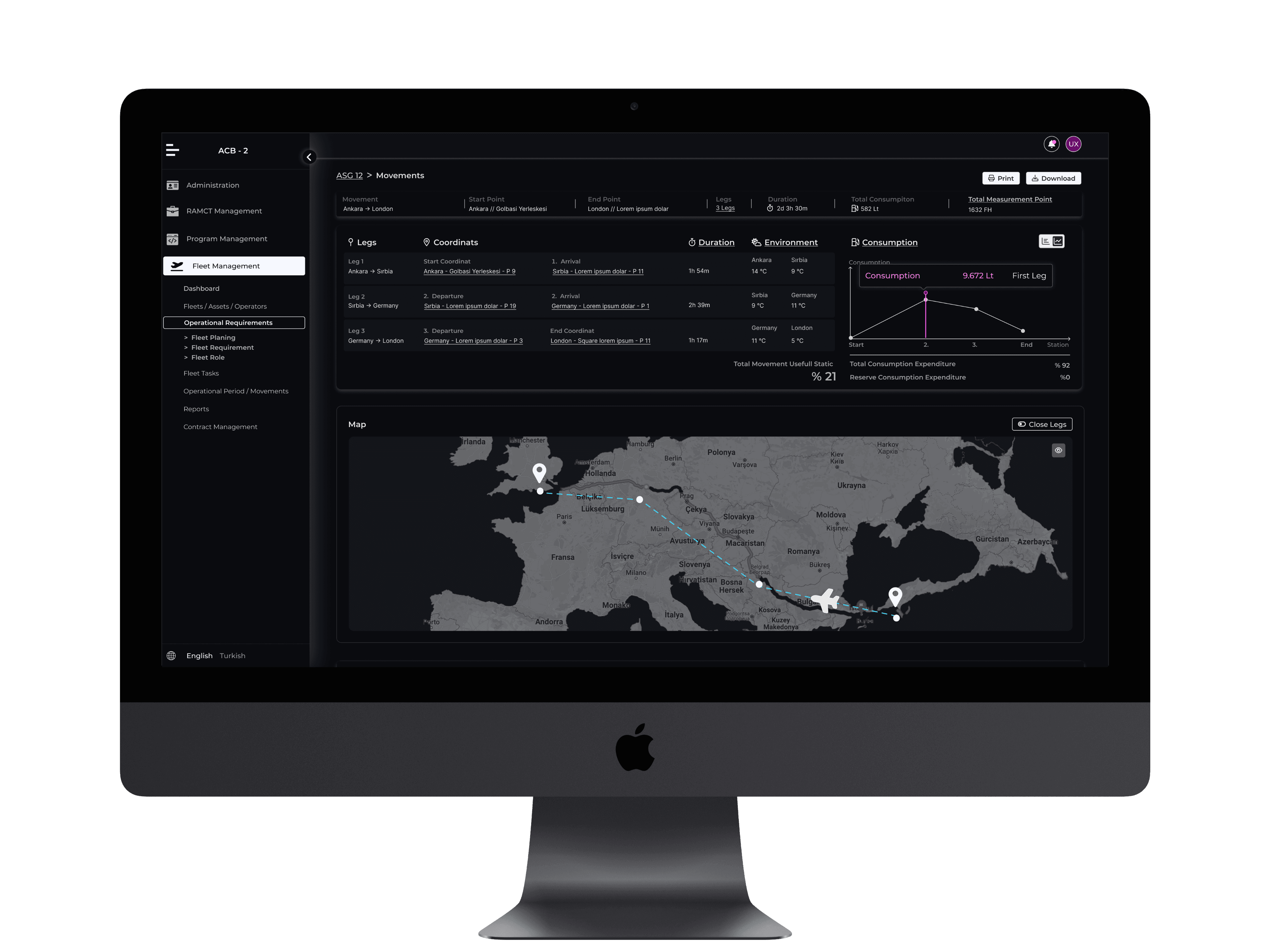
The Movement Page is designed to provide a structured and interactive approach to route planning and monitoring. It features a standardized coordinate list, including:
Start & End Coordinates – Defining the primary route boundaries.
Waypoint & Rest Stop Coordinates – Identifying optional break points and tactical stops along the route.
Key Functionalities
Dynamic Map Visualization: Selecting a coordinate from the list updates the map display, allowing users to track precise movement locations.
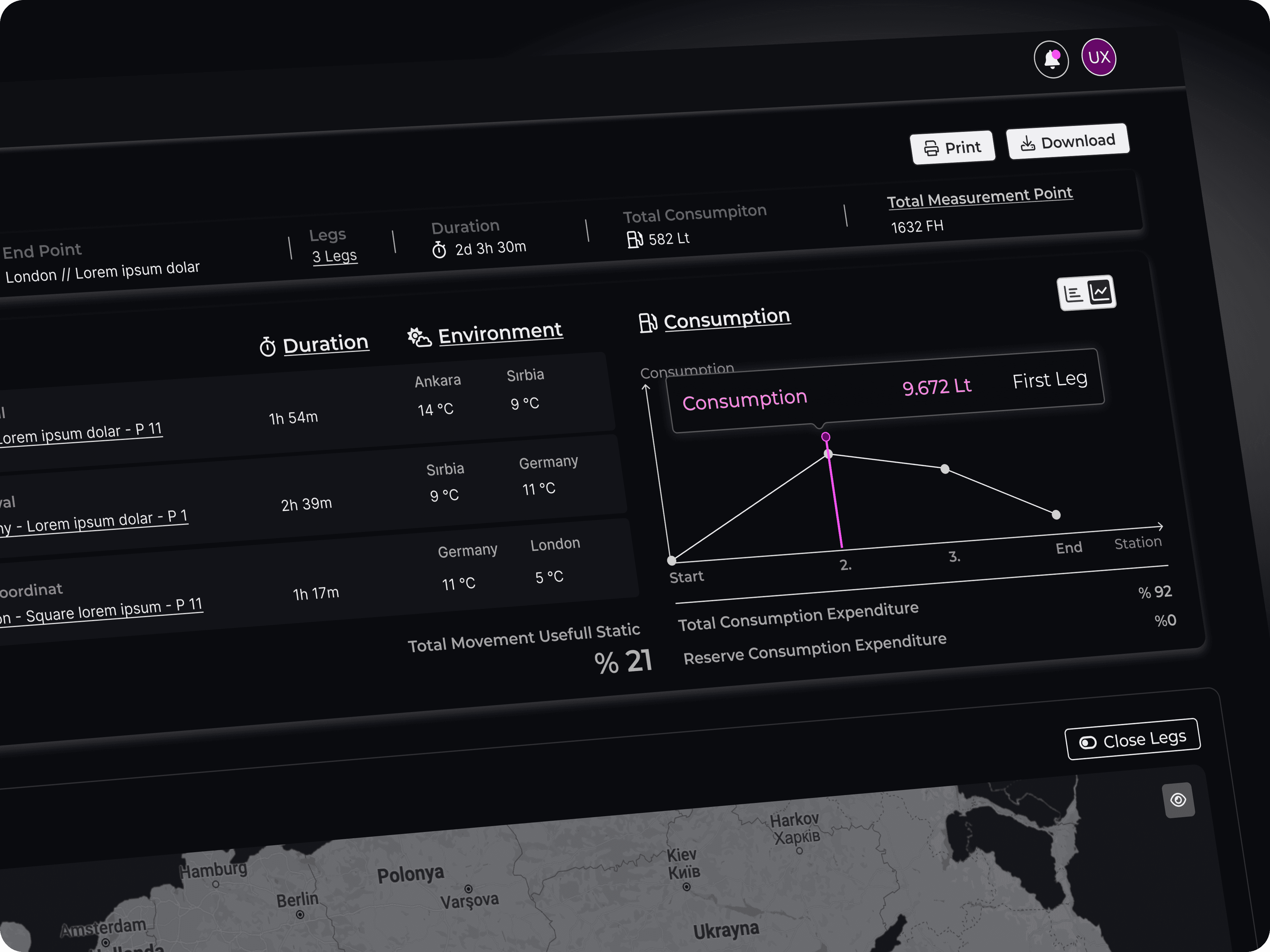
Segment-Specific Fuel Analysis: Users can interact with individual route legs to reveal a line chart displaying fuel consumption trends, enhancing operational efficiency and resource planning.
This data-rich, interactive interface ensures optimized movement planning, real-time adaptability, and comprehensive fuel management insights for informed decision-making.
Fleet Assignment
The Fleet Assignment page is designed to provide seamless task selection and real-time tracking within a structured timeline. Users can select a task from the top section, which dynamically highlights its position within the timeline below. This enables quick identification of the task’s status and progress.
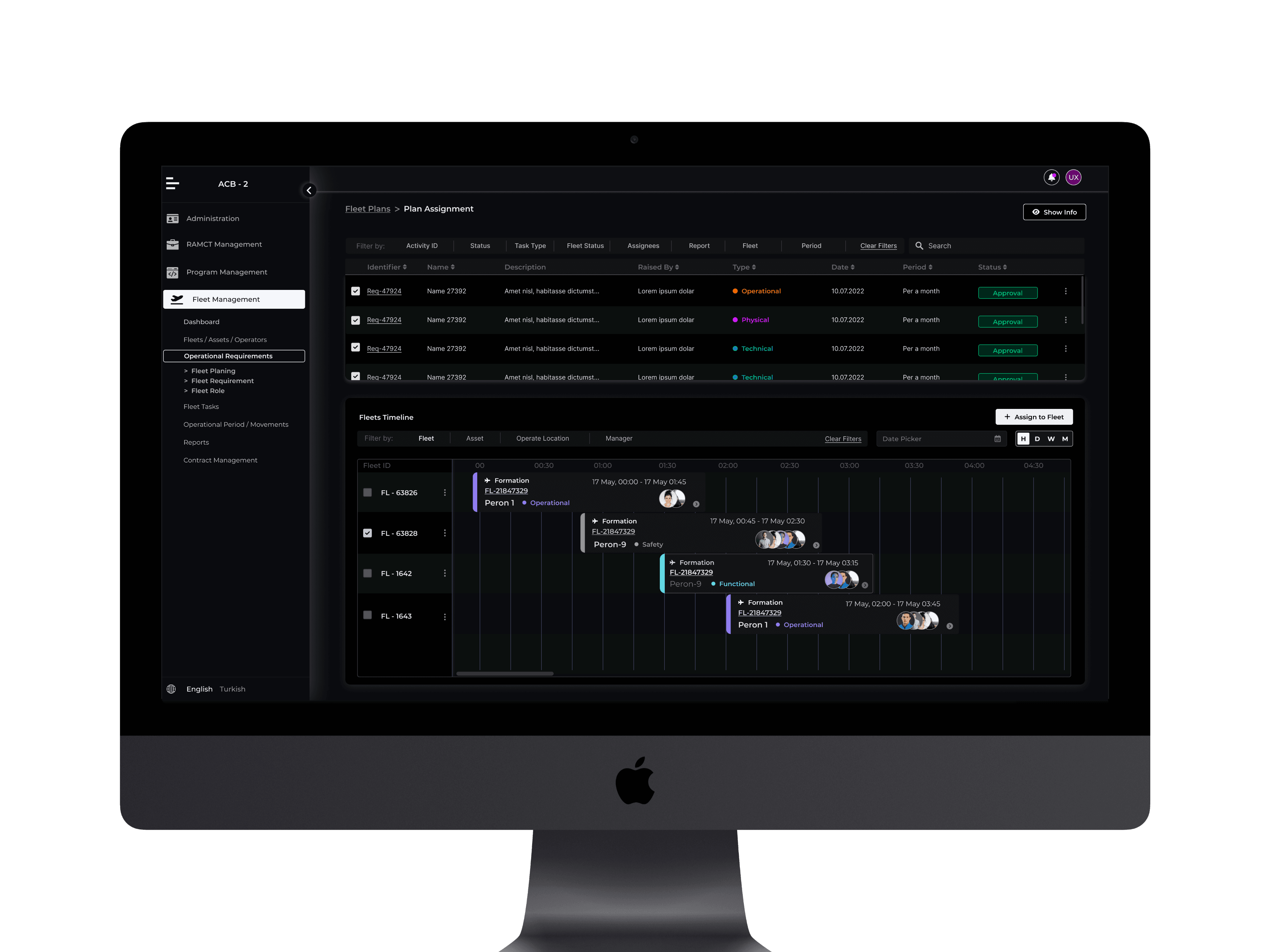
For deeper insights, users can access detailed pages through two intuitive interaction points:
Timeline Cards: Clicking on a task card within the timeline allows users to directly navigate to its detailed view.
Assignment List: Tasks listed in the assignment panel also serve as entry points for further exploration.
This dual-access approach enhances usability, ensuring that fleet managers and operators can efficiently monitor, manage, and optimize task assignments with minimal friction.
Movements Page
Movements Page to provide a detailed breakdown of a task’s journey, including departure, arrival, rest points, and the legs between stops. This structure ensures that users can track the task's movement in a clear and organized manner.
To enhance fuel consumption monitoring, I implemented a live line chart that visualizes both average and total fuel consumption in real-time, making the data more intuitive and actionable for users.
Additionally, I designed an interactive map-based tracking system that enables managers to monitor task movements live. This real-time visualization improves situational awareness and decision-making, ensuring more efficient fleet management.
Create New Task
The New Task Page simplifies task creation by guiding users through a structured process:
Task Type Selection – Choose the operation type (e.g., transport, maintenance) to define task parameters.
Fleet Requirement – Select required assets such as vehicles, personnel, and equipment.
General Info – Enter key details: task name, schedule, priority, location, and assigned operators.
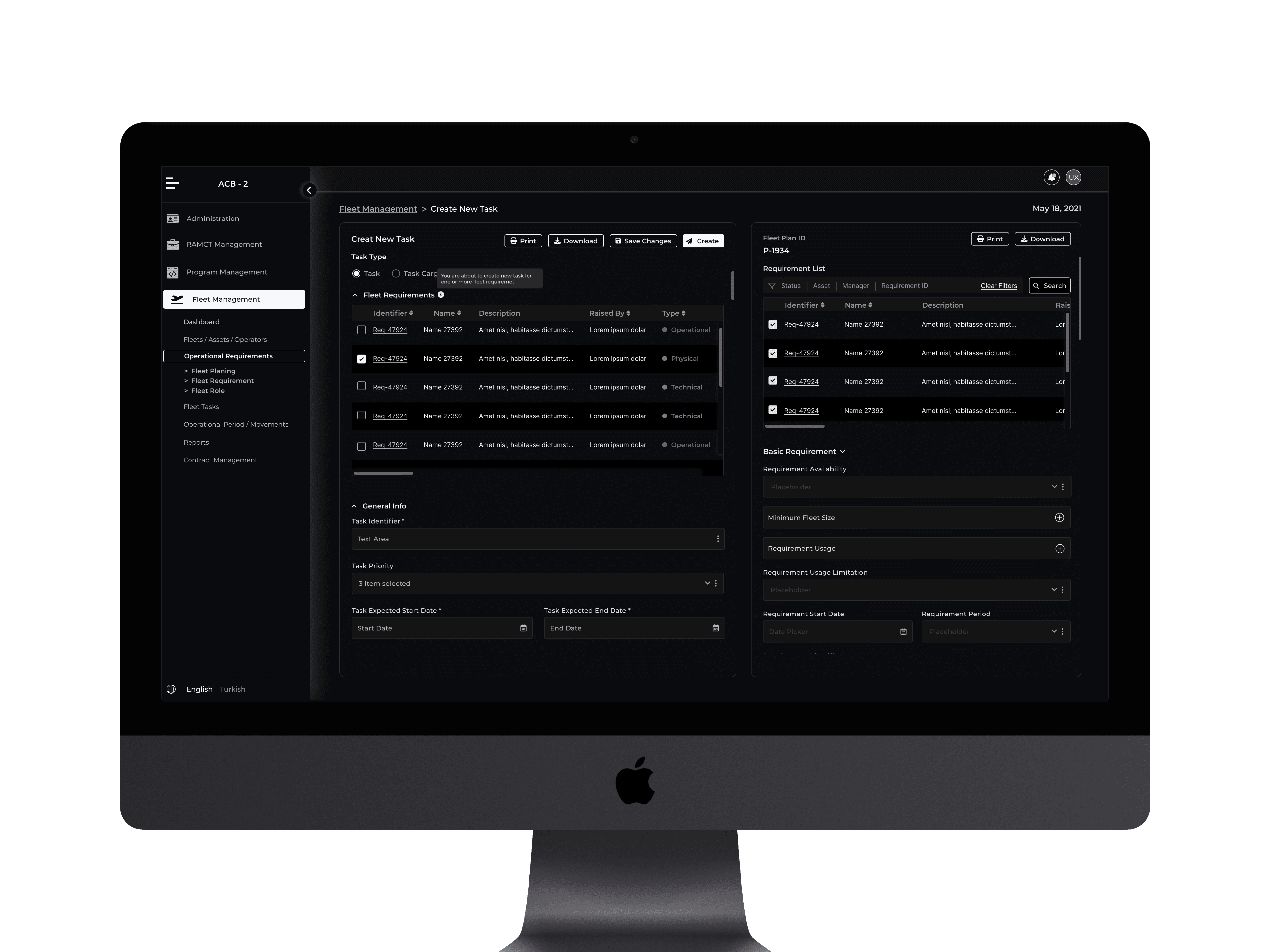
Basic Requirements – Define essential needs, including tools, safety protocols, and operational conditions.
Requirement List – Add necessary products, materials, and resource allocations.
Task Overview & Confirmation – Review all inputs before finalizing the task.
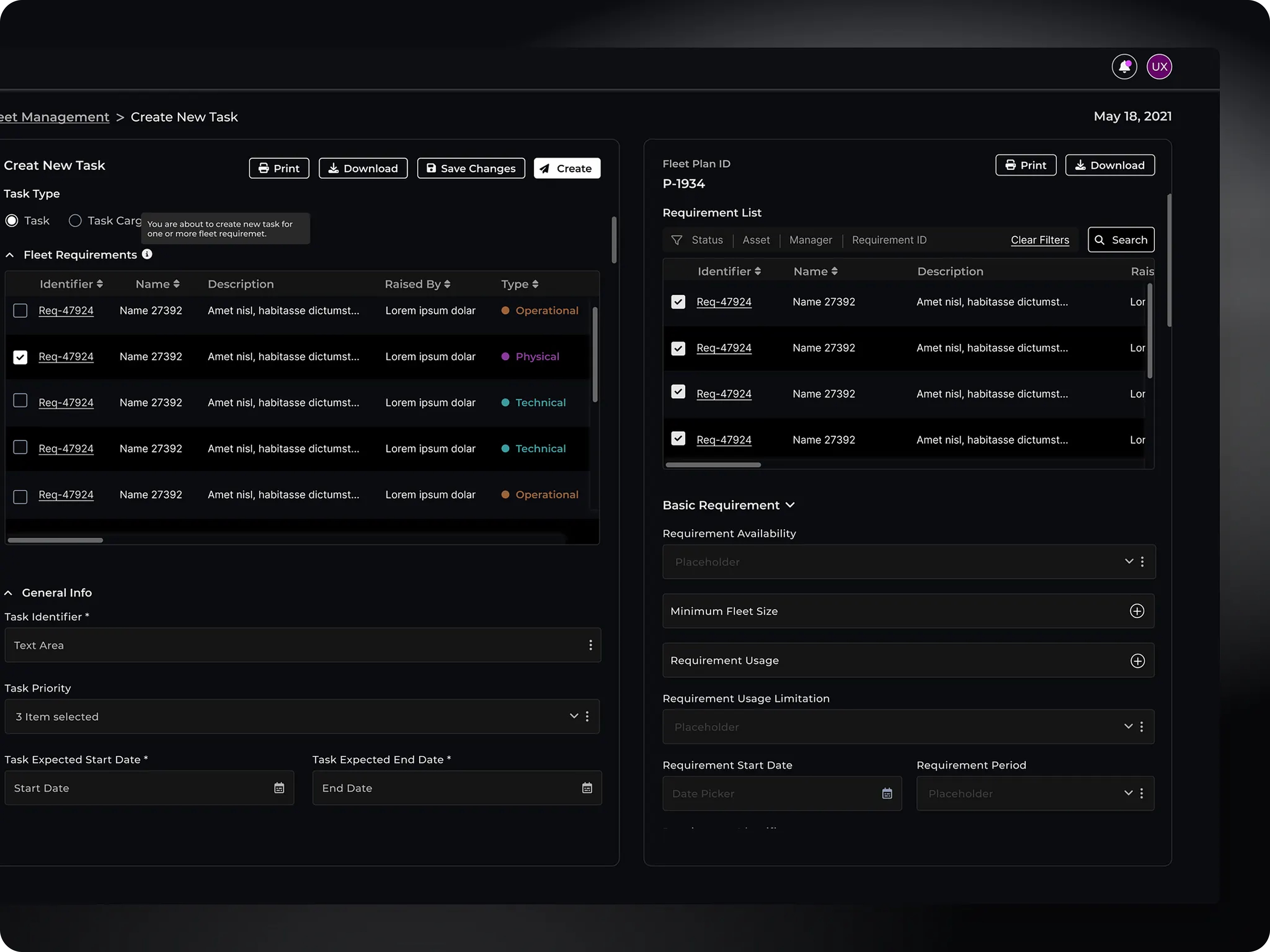
This flow ensures clarity, resource optimization, and efficient task execution.
Task Plans Page: Overview & Functionality
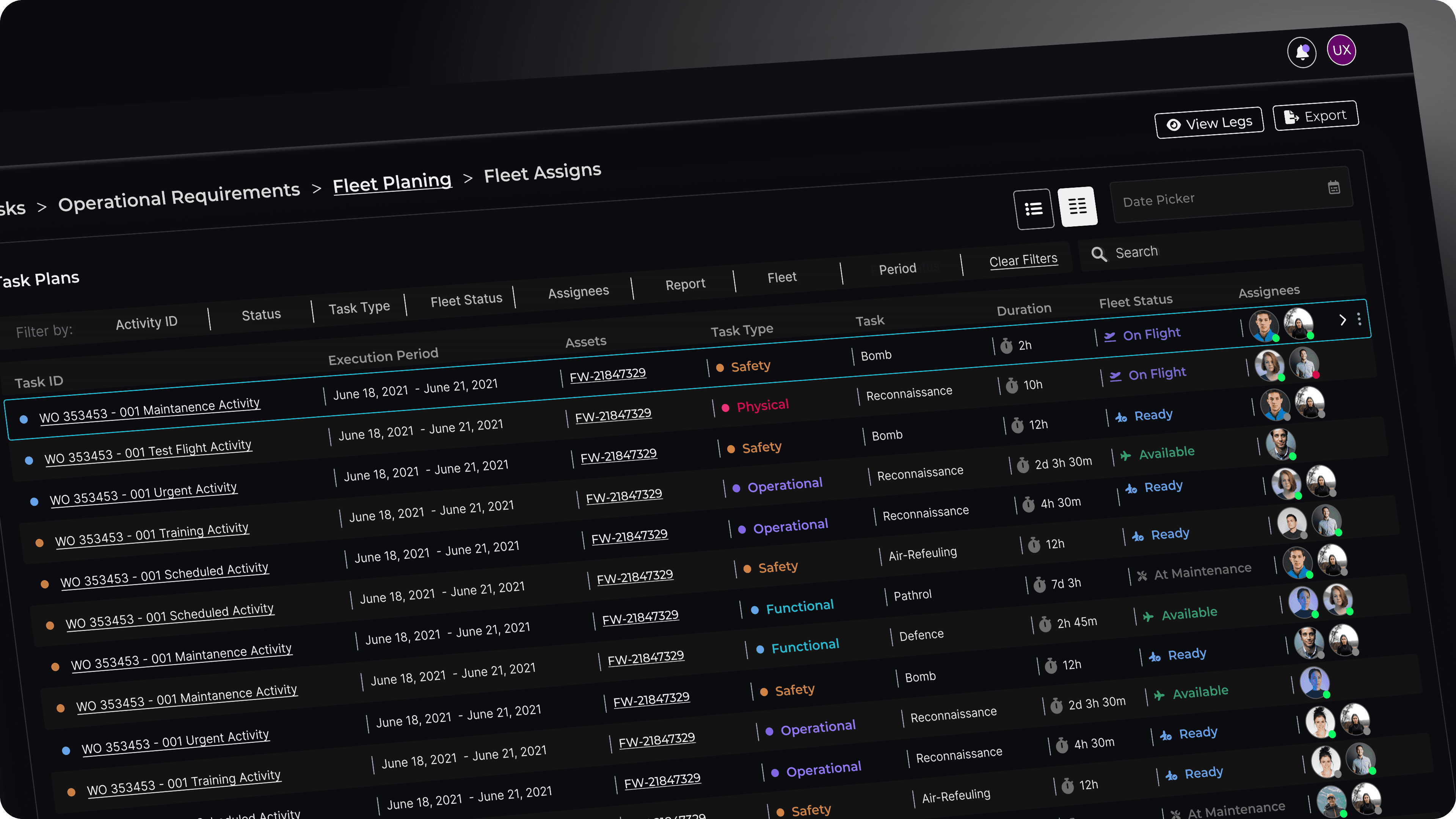
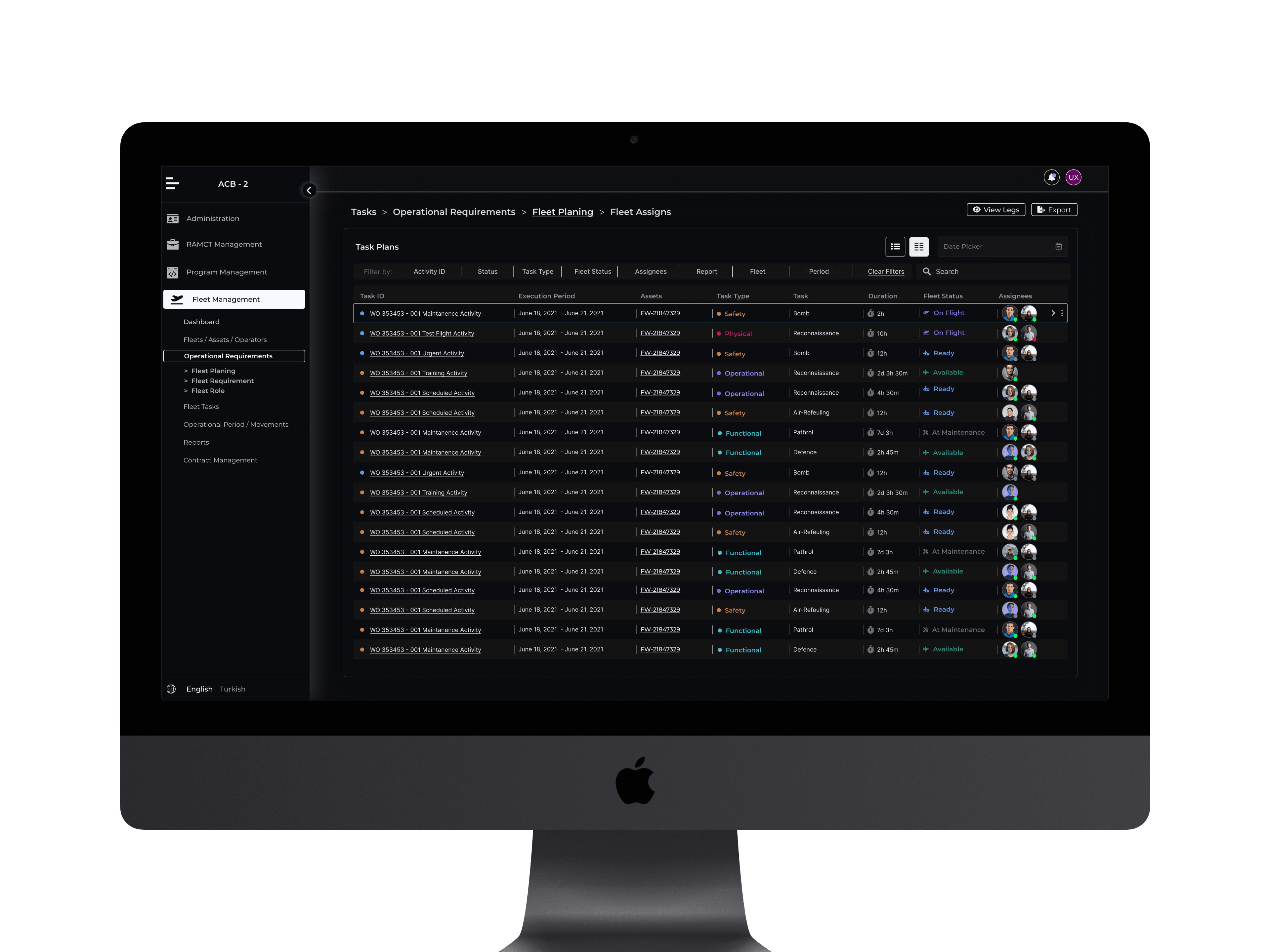
The Task Plans Page, accessed via Operational Planning, provides a structured data table for task monitoring and management. Designed with flexibility in mind, users can switch between table and card views, catering to both general and specific use cases.
Key Features:
Dual View Options – Users can toggle between data table and card format for different perspectives.
Active Search – Instantly find tasks by searching for keywords within task details.
Advanced Filtering – Filter by date, task type, assets, and fleet status for precise results.
Comprehensive Data – Each entry includes:
Task ID
Execution Period
Assets
Task Type
Task Name
Duration
Fleet Status
Operators
This structure ensures efficient task tracking, quick accessibility, and enhanced planning capabilities.
All Operations Page: Real-Time Task Monitoring
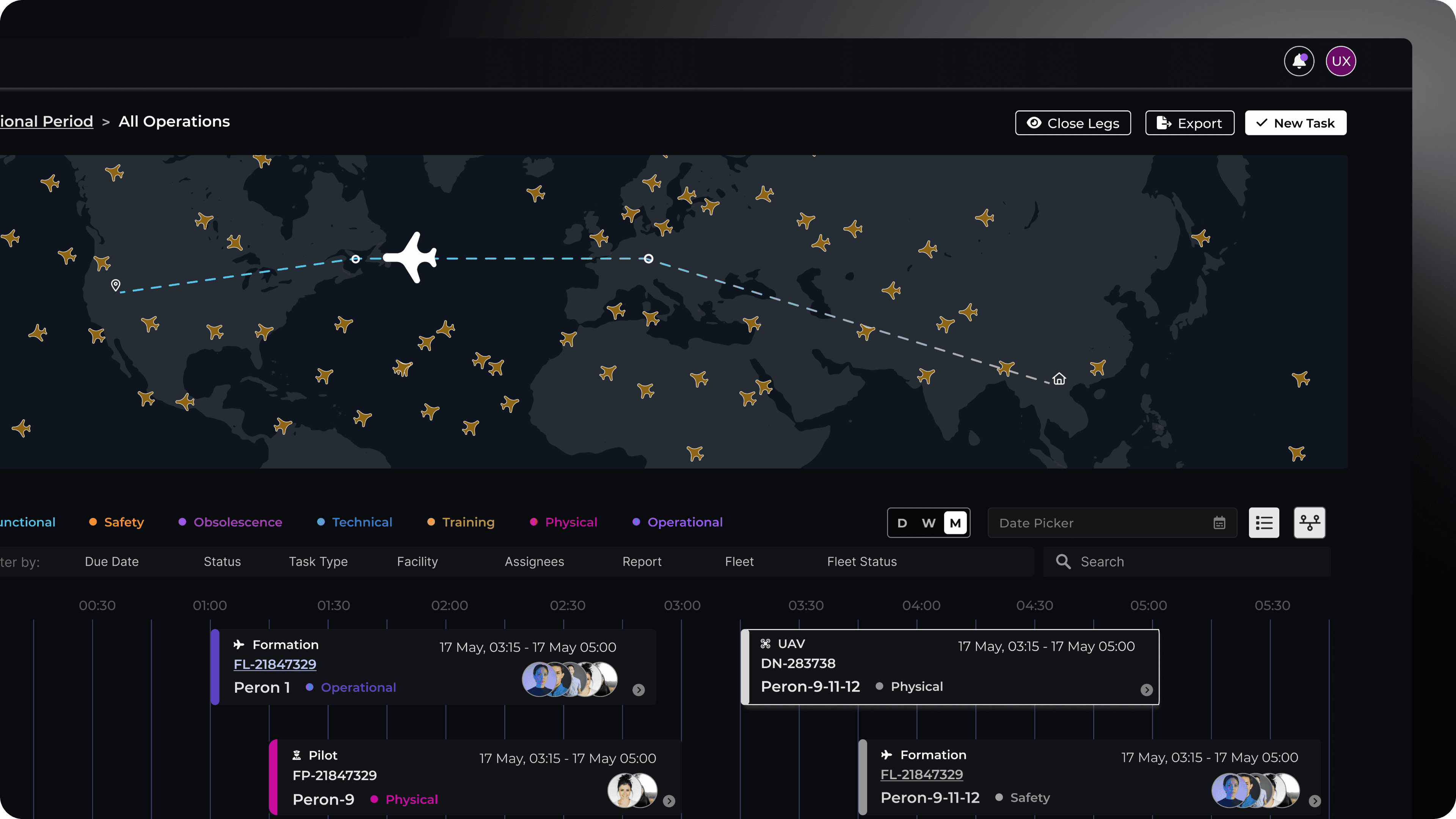
The All Operations Page is designed for real-time observation of all active tasks, prioritizing critical operations.
Key Features:
Integrated Map & Timeline – Users can track tasks visually on a map while monitoring them on a timeline below.
Task Highlighting – Selecting a task from the timeline highlights it on the map for spatial awareness.
Live Monitoring – Ensures seamless task tracking with real-time updates.
This setup provides an efficient way to oversee active operations, enhancing situational awareness and decision-making.